
Hopscotch Play Guides
Using Hopscotch Play Through the School Year
The start of a new school year is packed with excitement, change, and fresh experiences for students. For providers, it also means navigating a wide range of challenges that can pop up from the very first day to the last. That’s where Hopscotch Play comes in. It's your one-stop hub for interactive tools designed to make sessions engaging and effective.
Every resource mentioned here is ready for you inside Hopscotch Play, alongside a rich library of related options. From games and hands-on activities to immersive stories and calming guided meditations, you’ll have everything you need to help your clients feel confident, supported, and ready to thrive this school year. Below, you’ll find common school-year concerns laid out in the order you’re most likely to encounter them, each paired with tools to tackle them head-on.
School-Year Concerns:
- Back-to-School & Transitions
- Friendships & Social Skills
- Focus & Organization
- Test Anxiety & Academic Stress
- Conflict Resolution & Bullying
- End-of-Year Reflection & Summer Transition
Back-to-School & Transitions
The beginning of the school year can be a time of excitement and uncertainty. You may see children struggling with separation anxiety, difficulty adjusting to new routines, or apprehension about unfamiliar teachers and classmates. Some children may experience sleep changes, somatic complaints like stomachaches, or irritability as they adapt to the shift from summer to school structure. Others may have a hard time re-engaging with academic demands after time away. Support during this stage can focus on building coping strategies for change, creating predictable routines, and helping children express and process their feelings about the transition.
Back to School Butterflies
Use the story to normalize first-day jitters and name the “butterfly” sensations Leila feels as a bridge to the child’s own body cues. Pause after key moments to ask what the child thinks Leila should try next, then practice a coping skill together like belly breathing or 5-4-3-2-1 grounding. End by co-creating a simple first-day plan the child can take home or bring to class.
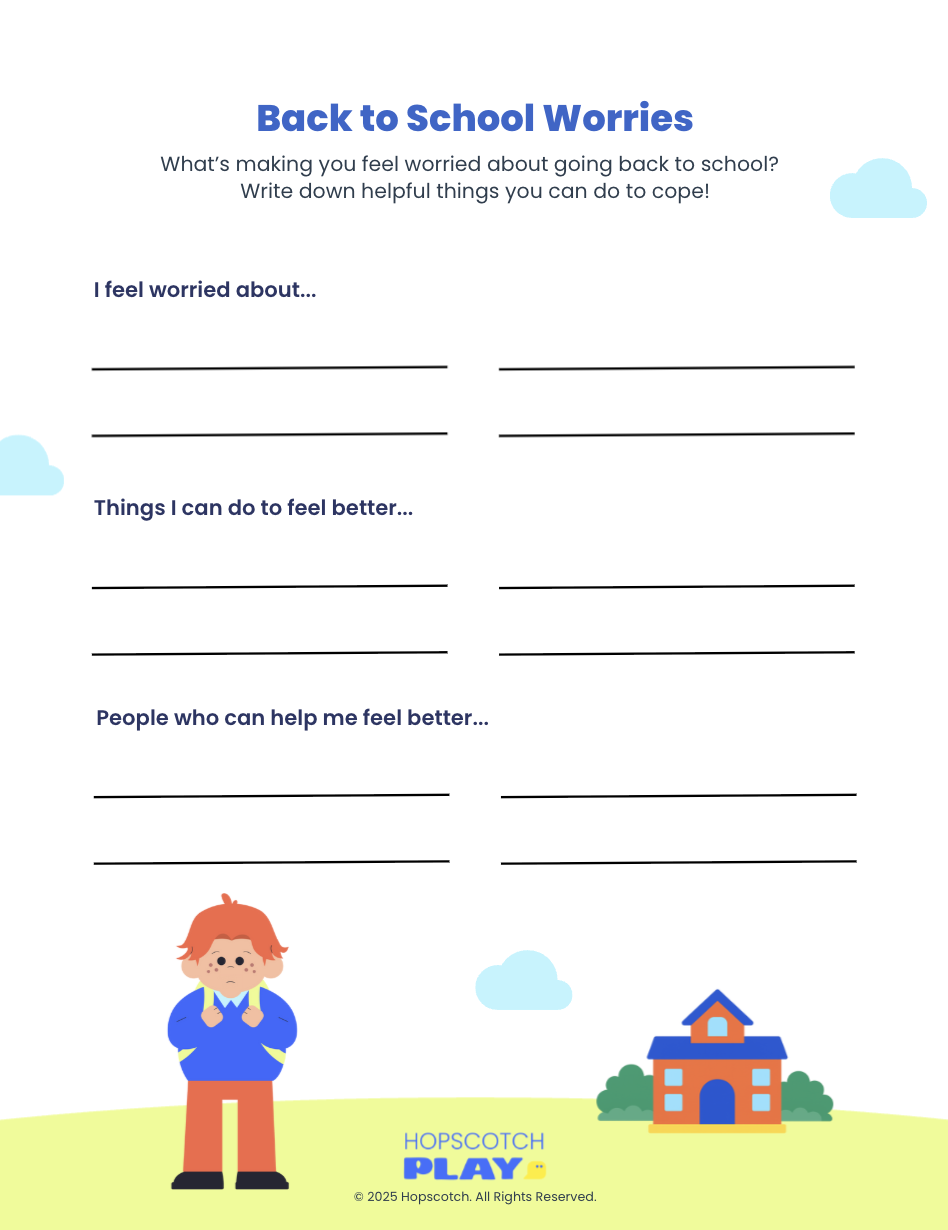
Back to School Worries
Start with the worksheet to surface specific worries about returning to school, like new teachers, finding friends, or the bus ride. Sort concerns into “I can handle with help” and “needs an adult’s support,” then pick one or two coping actions for each. Finish by identifying a trusted adult at school and one at home so the child knows exactly who to go to if worries pop up.
Climber
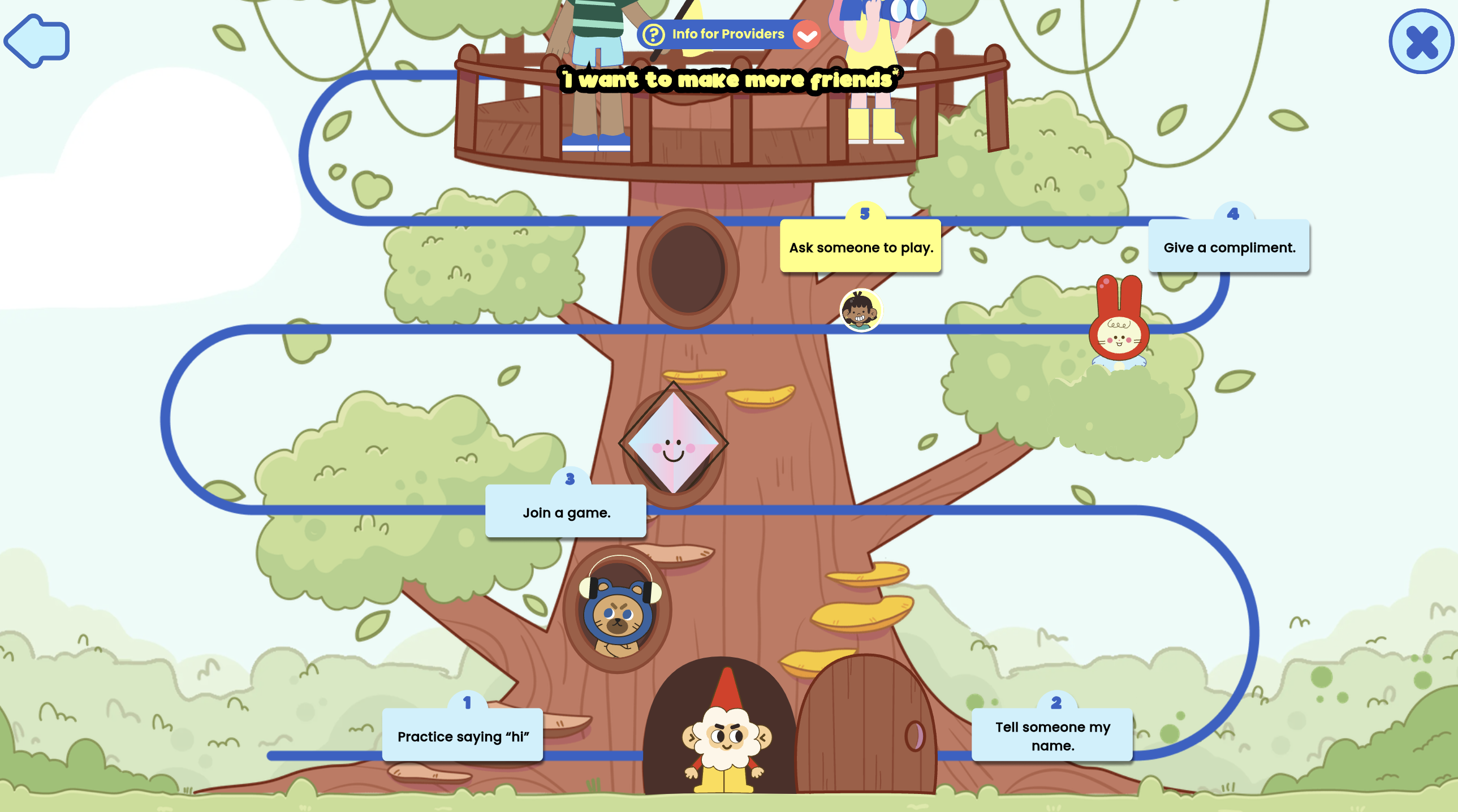
Interactive game where players climb toward a goal by breaking it into smaller, manageable steps. Use it to help students set achievable back-to-school goals, reinforcing the idea that big objectives can be reached through steady progress.
Mateo Finds His Way
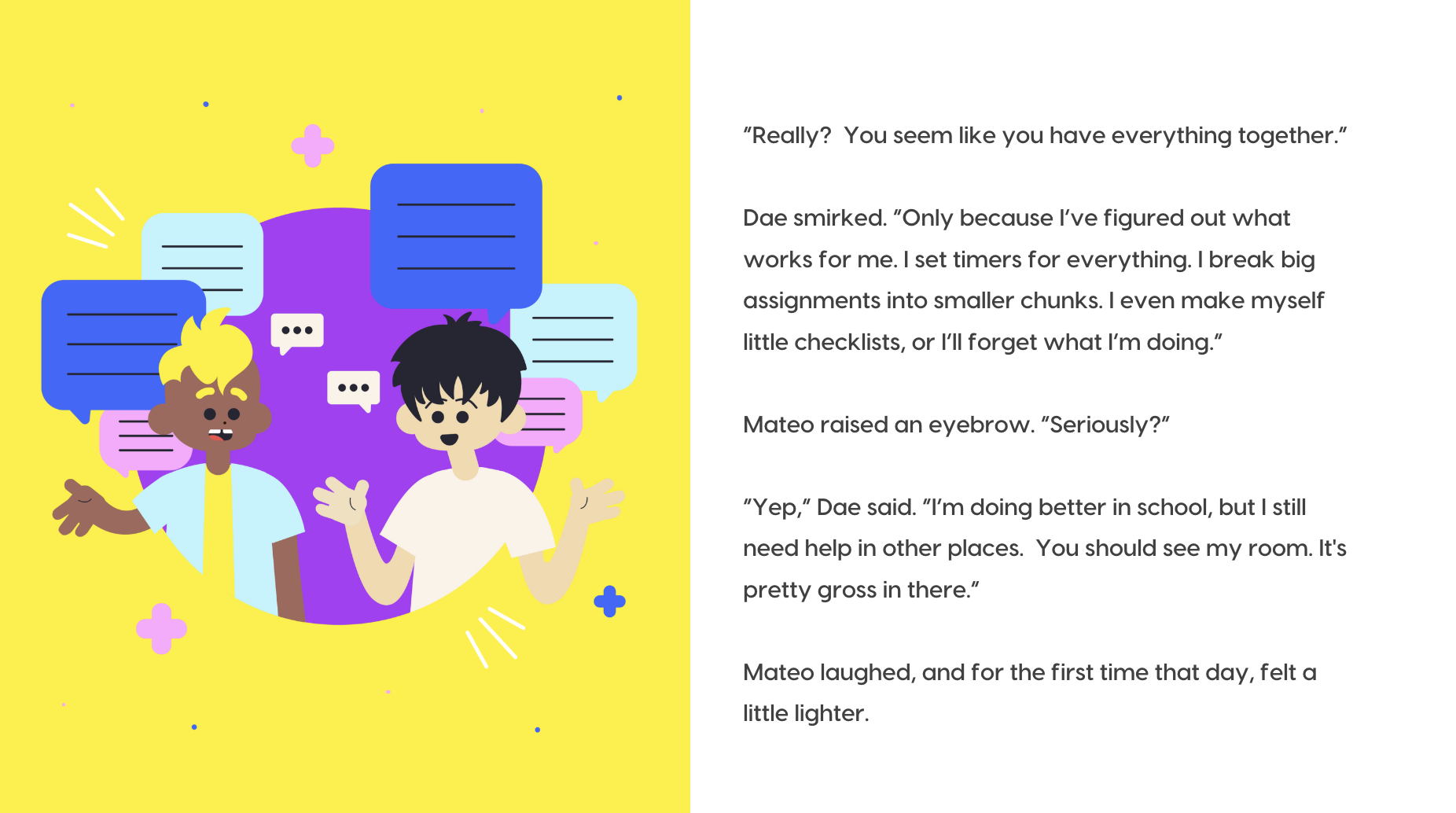
Mateo Finds His Way is a story about a student who struggles to finish his homework because he gets distracted and puts it off. When a his group project partner shares strategies that work for him, Mateo decides to give them a try. Through trial and error, he learns that using tools like checklists and taking planned breaks can help him stay on track.
Correct Order: Getting Ready for School
Turn morning chaos into a skills lesson by sequencing the routine from wake-up to out-the-door. After the child orders the steps, role-play the routine and troubleshoot bottlenecks like “I forget my folder” or “I get stuck picking clothes.” Snap a photo of the final order or turn it into a visual checklist for home practice.
Build Your Routine
Co-design a simple morning and after-school routine with two or three “anchor” habits tied to natural cues like breakfast or backpack check. Keep it bite-sized, choose a start date, and decide how progress will be tracked at home or in a classroom calm corner. Revisit weekly to celebrate wins, remove friction, and add one new step only when the current routine feels easy.
Friendships & Social Skills
Once the first few weeks of school have passed, social dynamics begin to take shape. You may encounter children feeling excluded, struggling to make friends, or navigating conflicts in peer groups. Some children may feel pressure to fit in, while others may lack the skills to initiate or maintain positive social connections. Social skill deficits can lead to loneliness, anxiety, or behavioral challenges. Therapeutic support can include teaching conversation skills, role-playing friendship scenarios, and providing tools to manage emotions during peer interactions.
Let’s Talk About Friendships
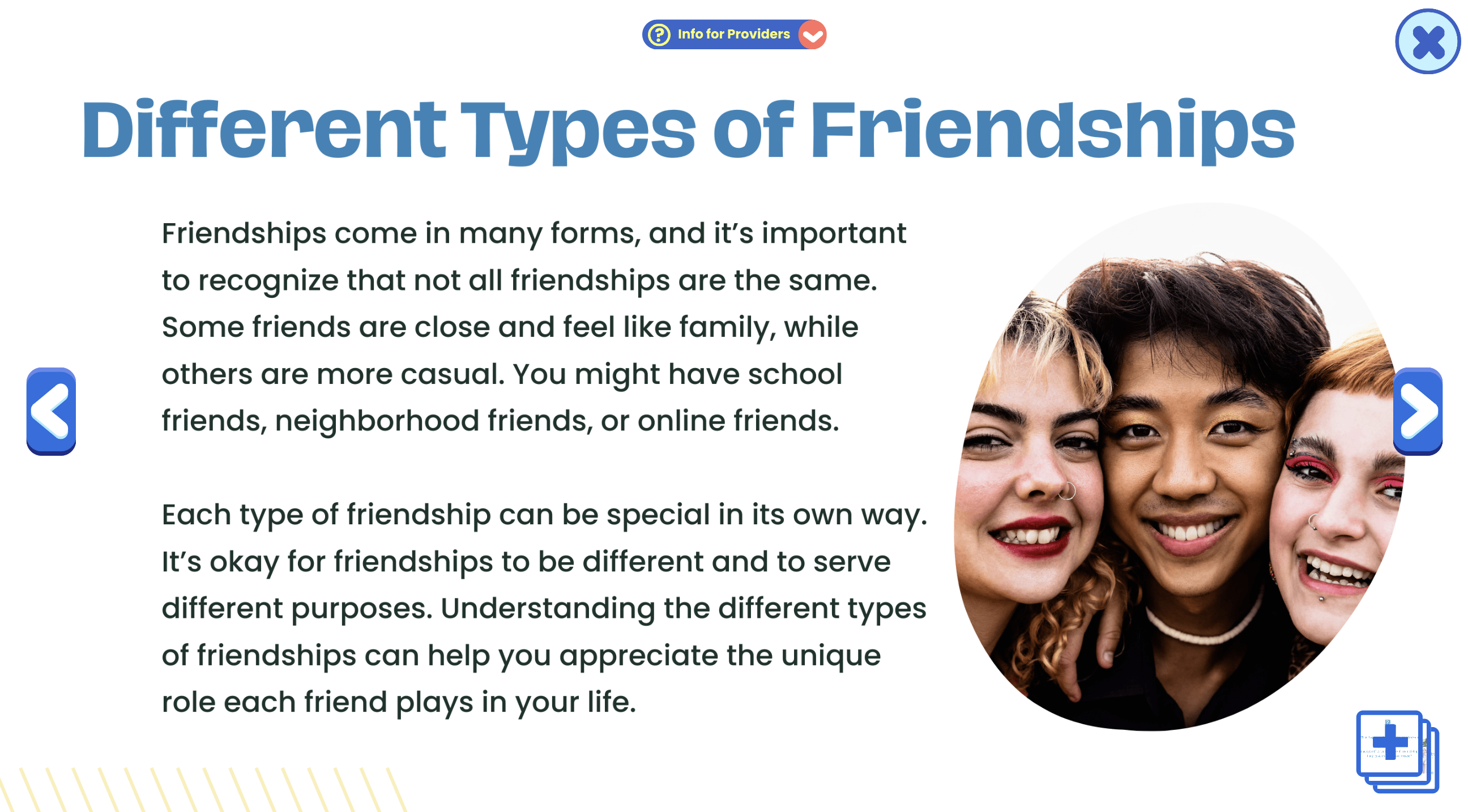
A guided lesson on what makes friendships healthy, spotting warning signs, and managing conflict. In session, pause to gather client examples and explore how they would respond in similar situations. Works well for group discussions or individual social skill coaching.
Friendships: Teen Edition
Covers the more complex aspects of teenage friendships, from handling peer pressure to setting personal boundaries. Have teens create a “friendship values” checklist to use when evaluating current relationships.
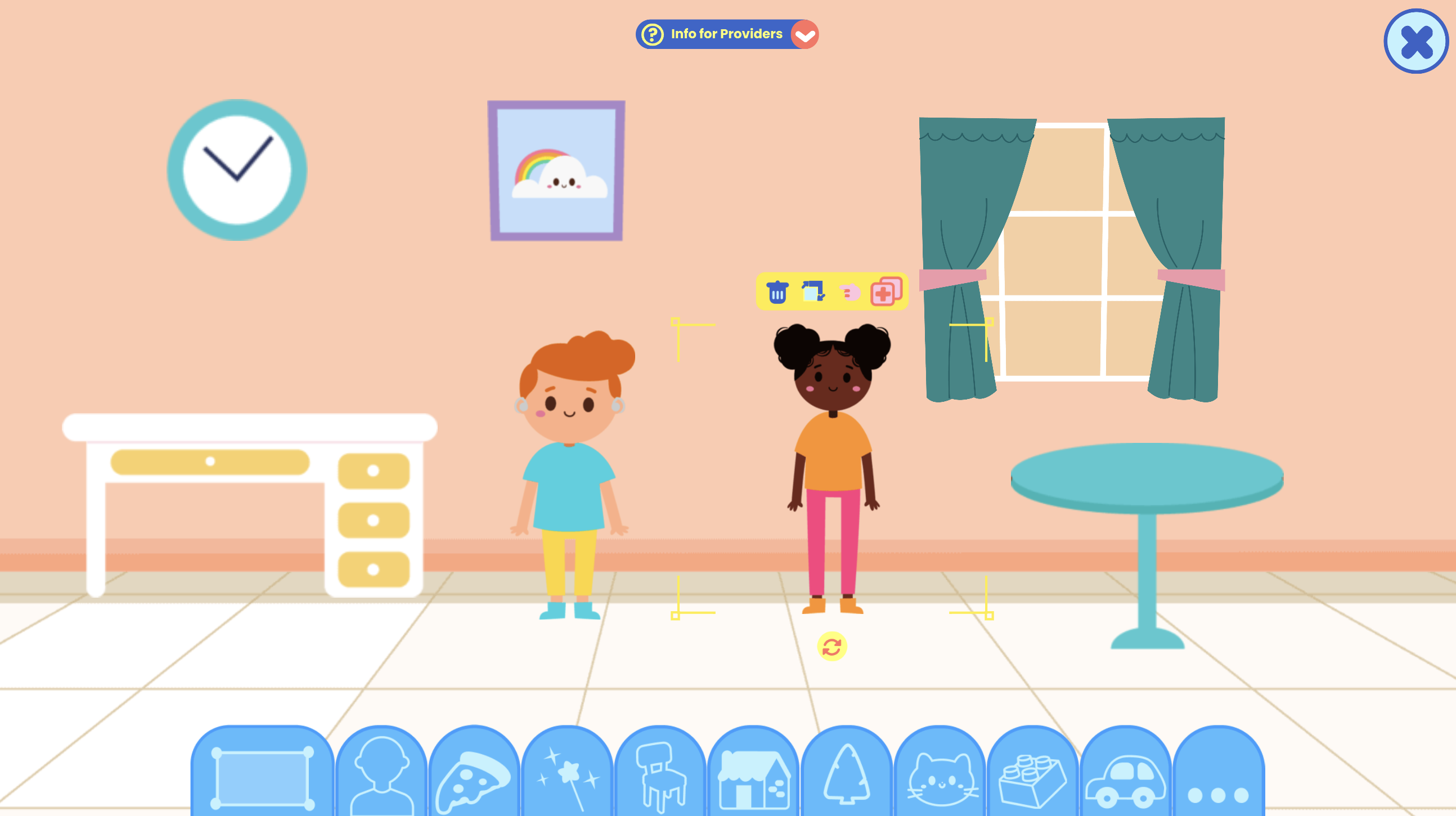
The Playground
Virtual play environment for exploring different scenes and interactions. Use it to process recent peer experiences and practice applying social skills tools in a safe, imaginative setting.
Exploring Social Skills
A character-led activity introducing the basics of how social skills help us make and keep friends. Connect the examples to real-life situations the child has experienced, then role-play how to handle similar moments in the future.
Making New Friends
A story that models the process of introducing yourself, finding common ground, and joining in play. After reading, role-play each step and help the child set a realistic friendship goal for the week.
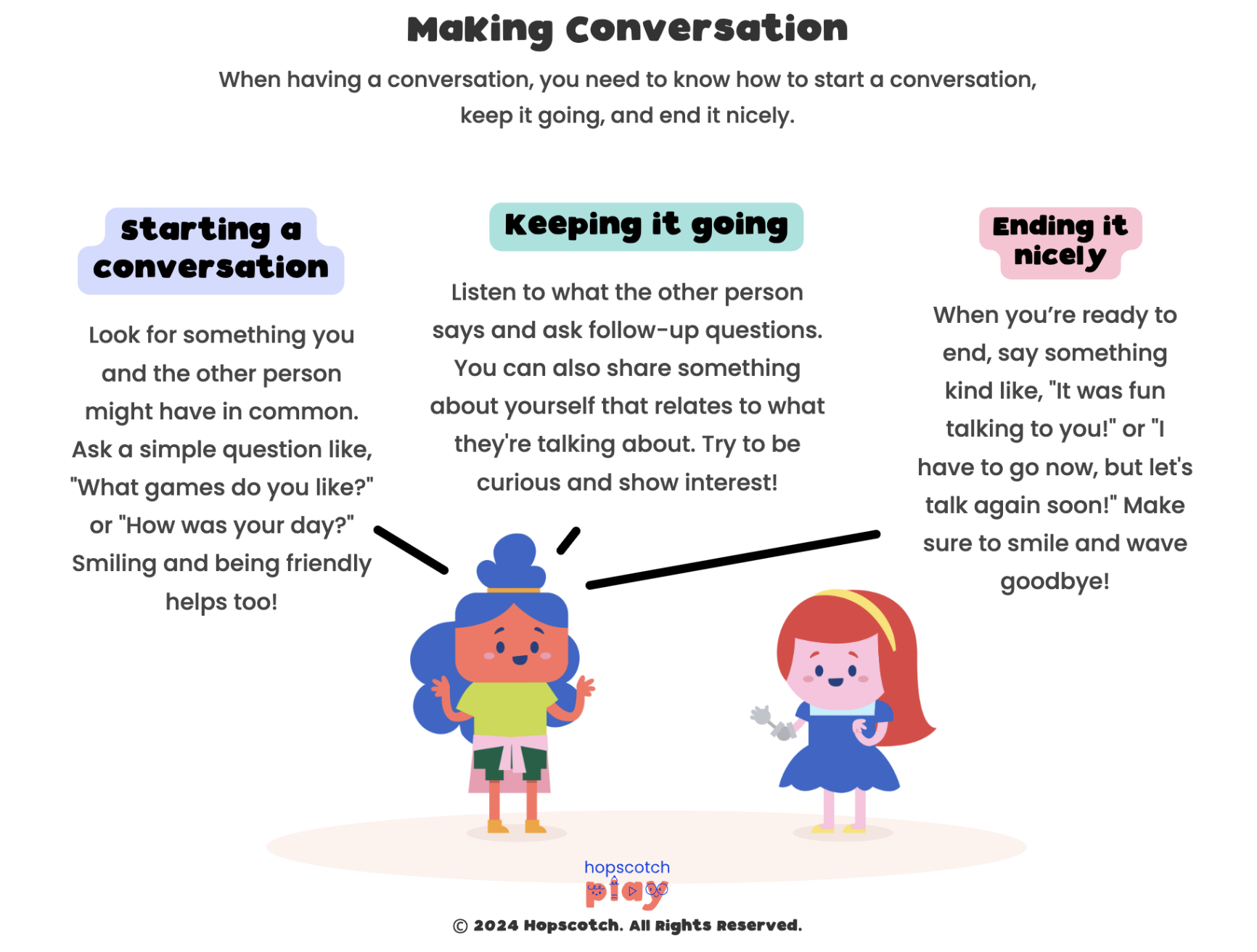
Making Conversation
A worksheet offering tips for starting, continuing, and politely ending conversations. Combine it with a “conversation practice game” where clients pair up and try each tip.
What I Want in a Friend
Helps children think critically about what makes a good friend and how they can be one themselves. After completing, brainstorm ways to find and nurture these types of friendships.
Friendship Garden
A guided meditation that uses garden imagery to represent relationships. Clients can then draw their own “friendship garden” to reflect who’s currently in their life and who they’d like to plant seeds with.
Focus & Organization
As academic work increases, challenges with attention, organization, and task completion often become more apparent. You may see children who procrastinate, lose materials, or forget assignments, sometimes leading to frustration at home and school. These difficulties can be especially pronounced for children with ADHD or executive functioning weaknesses. The impact may include declining grades, conflict with caregivers, and feelings of failure. Therapy can focus on building self-monitoring skills, practicing time management, and creating systems for keeping track of responsibilities.
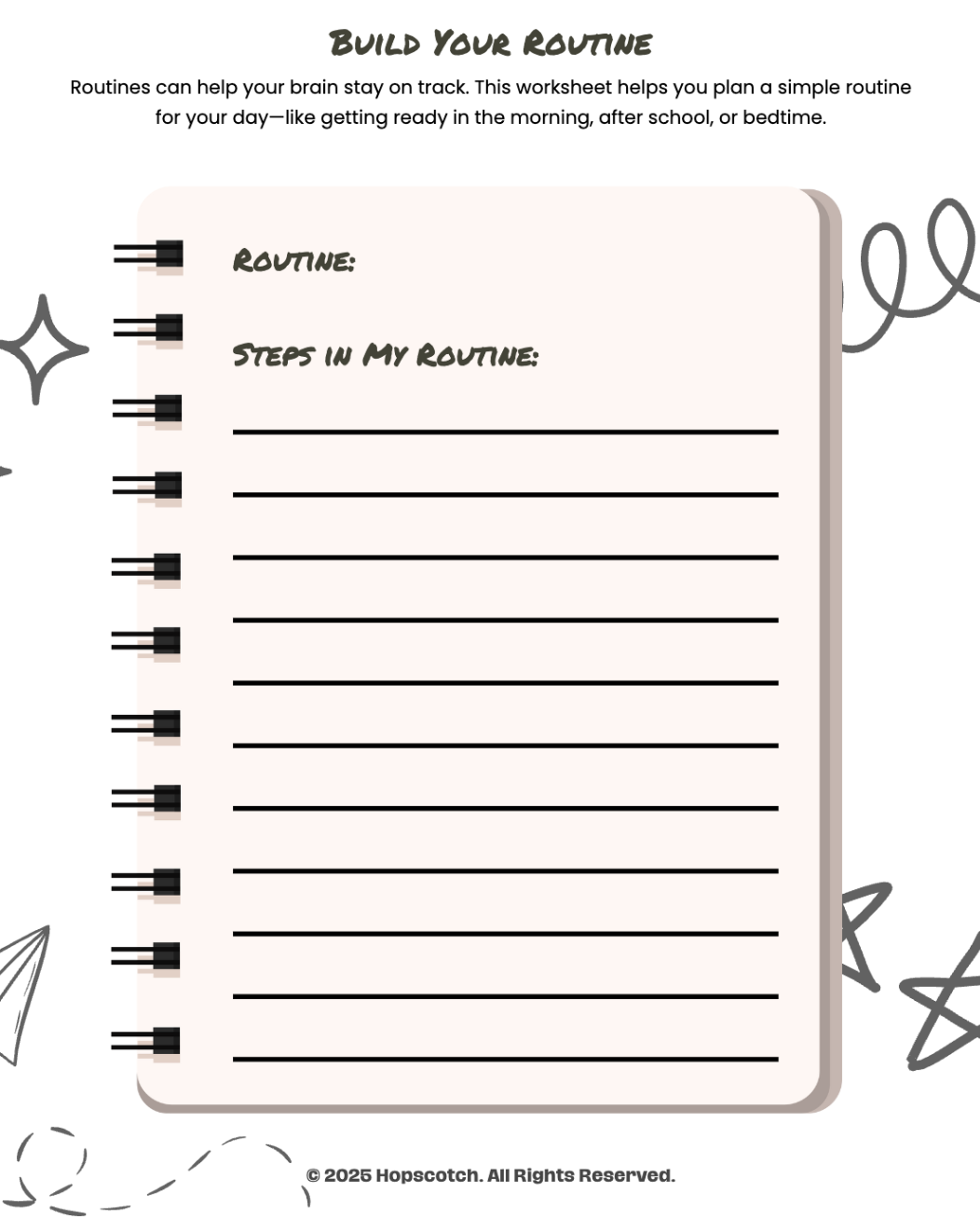
Build Your Routine
Guides children in creating a step-by-step daily routine to stay organized. Use it to identify key “anchor points” like breakfast or after-school time, and then build short, realistic routines around them. Send the completed routine home as a visual checklist for reinforcement.
Ladder
Goal-setting game that challenges players to climb higher by sequencing tasks and goals. Use it to teach the connection between organizing steps, staying persistent, and successfully reaching academic or personal goals.

Correct Order: Doing Homework
A sequencing activity that teaches children how to break homework into manageable steps. Use it to put the steps in order, then role-play a “homework time” to identify common distractions and problem-solve how to manage them.
Plan My Week
Helps children visually organize their week by balancing school, activities, and downtime. Use it to teach the importance of scheduling breaks and prioritizing tasks, which can reduce overwhelm.
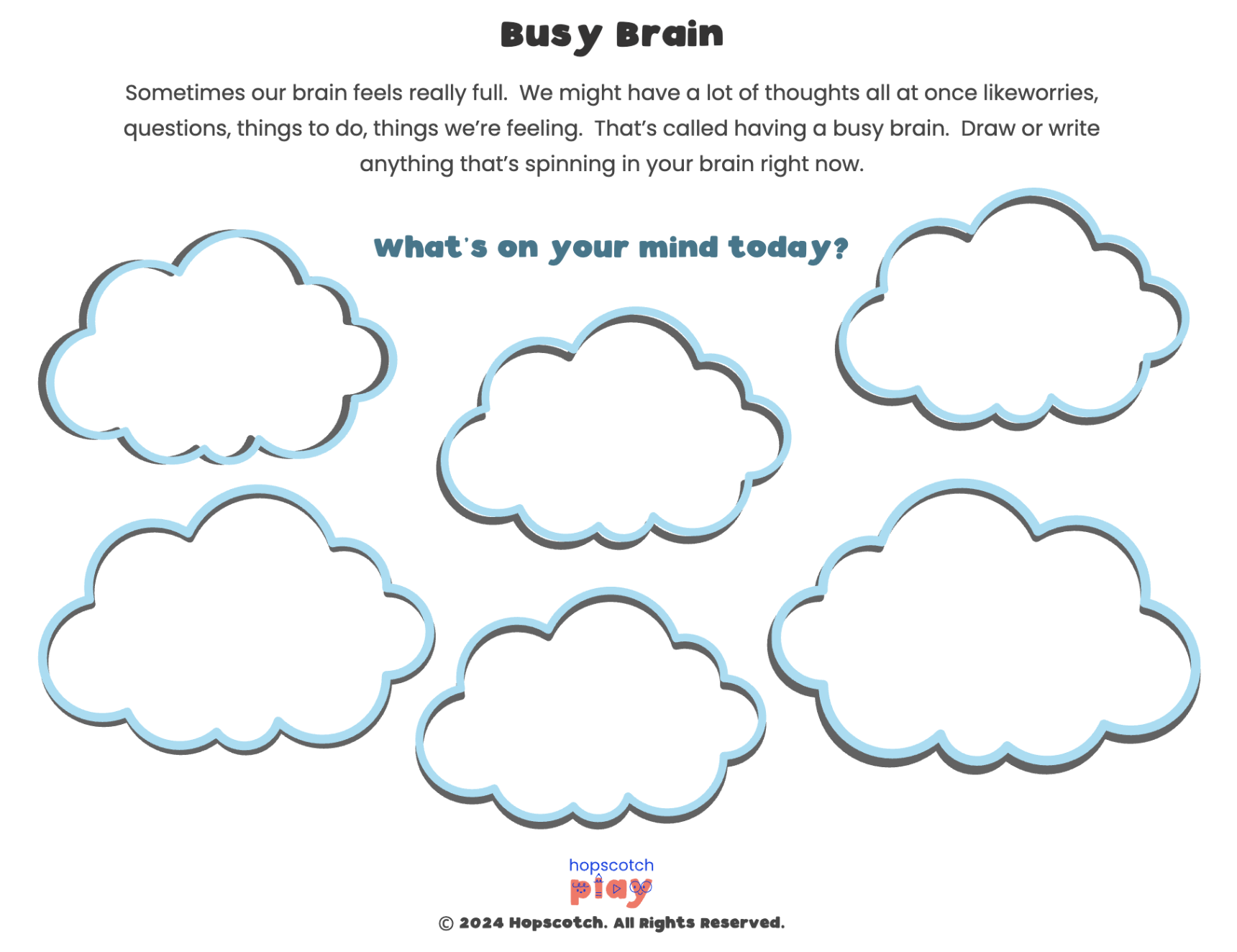
Busy Brain
Encourages children to reflect on what it feels like when their brain is full of thoughts and distractions. Use it to help clients identify focus strategies and create a “calm brain” plan for use at school.
Reaching My Goals
Supports children in setting small, achievable goals and tracking their progress. Use it to select a short-term academic or behavioral goal, then revisit each week to update and celebrate progress.
Active Listening Skills
Teaches children how to listen with focus and respond appropriately. Use it with short listening games to make practice engaging and memorable.
Test Anxiety & Academic Stress
As the school year progresses, academic expectations intensify, and some children begin to show signs of test anxiety or performance stress. This may include physical symptoms like headaches or stomachaches before exams, perfectionistic tendencies, or avoidance behaviors. The pressure to achieve can erode confidence and diminish enjoyment of learning. You can help clients by teaching relaxation strategies, reframing negative self-talk, and practicing manageable study habits. Encouraging a growth mindset can also be key in reducing the fear of failure.
Coping When I’m Worried
Encourages clients to name specific coping skills they can use when feeling worried about an upcoming test or academic task. Use it to build a personalized list of quick, in-the-moment strategies students can use in the classroom.
Anxious Thoughts
Helps clients identify patterns of anxious thinking and connect them to situations like exams or class presentations. Use it to teach how to challenge these thoughts and replace them with more balanced, realistic ones.
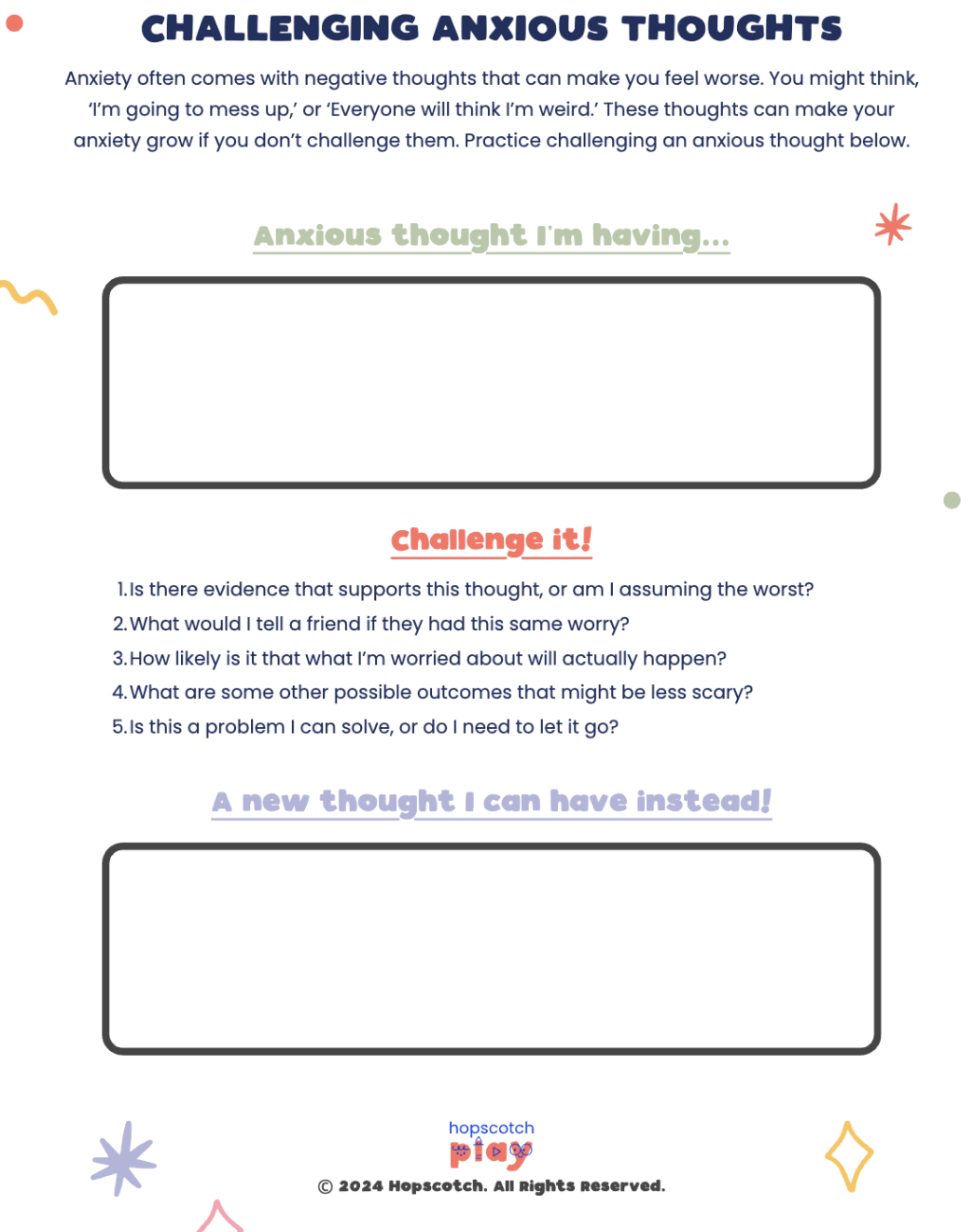
Challenging Anxious Thoughts
Guides clients in reframing negative or catastrophic thinking into helpful and supportive self-talk. Use it to role-play how a student could respond to a stressful test situation using the new, reframed thought.
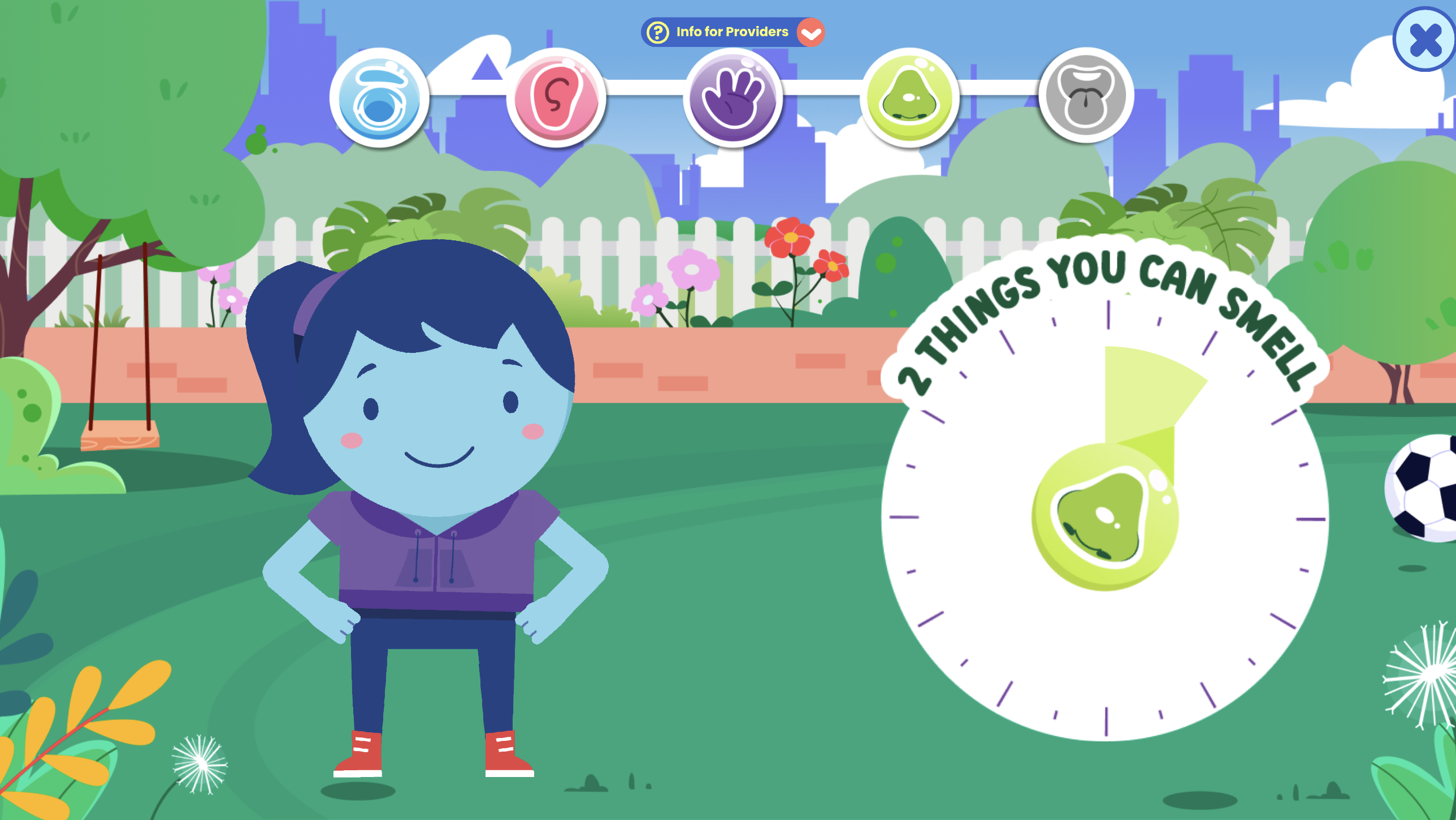
Sammie’s Sen5es
Playful 5-senses grounding activity that helps children focus on the present. Use it before a test to teach how noticing sights, sounds, smells, touches, and tastes can reduce nervous energy.
My Body Today
Interactive body scan that prompts children to focus on different areas of the body. Use it to help students notice and release physical tension before high-stress academic situations.
Conflict Resolution & Bullying
Mid-year, social tensions can escalate, and you may see children struggling with arguments, misunderstandings, or more serious issues like bullying. These experiences can cause distress, school avoidance, or declines in self-esteem. For some children, conflict triggers strong emotional reactions that make problem-solving difficult. Therapy can focus on identifying triggers, practicing healthy communication, and learning strategies for de-escalation. In cases of bullying, therapists can help children understand their options for seeking support and protecting themselves emotionally.
Conflict Resolution Steps
Outlines four simple strategies for resolving conflicts in a healthy, respectful way. Use it to walk through each step with role-play scenarios drawn from the student’s real-life experiences.
Coping Skills Toolbox
Customizable digital toolbox where children can store coping strategies. Use it to help students build a go-to collection of healthy responses for resolving conflicts and handling tense social moments.
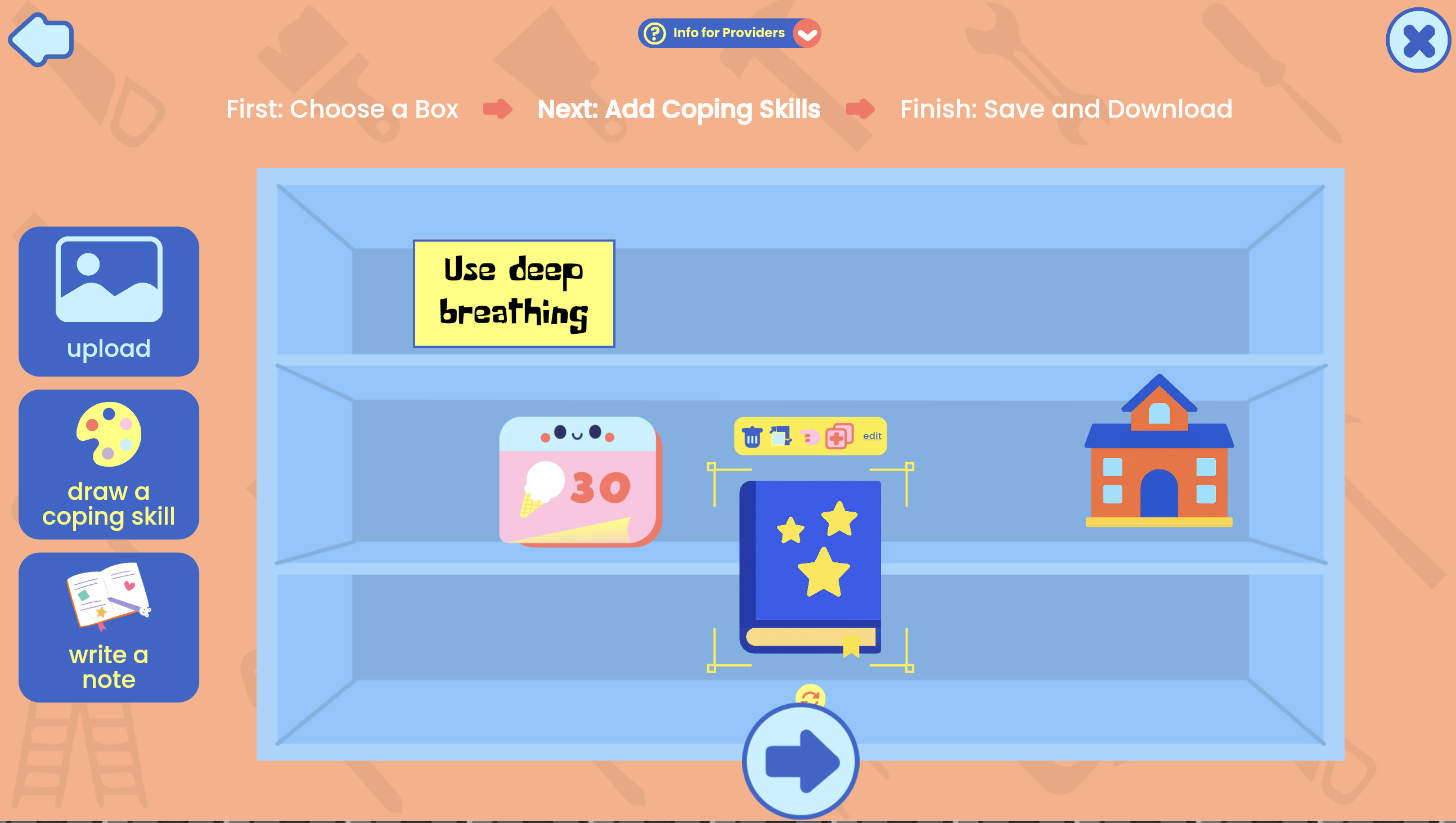
Exploring Conflict Resolution
Uses a character-led story to demonstrate how conflicts arise and how they can be resolved. Use it to spark discussion about what the character did well and what could have been handled differently.
Sebastian’s Stand
Tells the story of a student choosing integrity over peer pressure and standing up against unkind behavior. Use it to explore themes of assertiveness, empathy, and positive peer influence.

Fight–Flight–Freeze
Teaches students about the body’s natural stress responses and how they affect conflict situations. Use it to help students recognize their own reactions and choose calming strategies before responding.
End-of-Year Reflection & Summer Transition
As the year winds down, children often experience a mix of excitement for summer and sadness about leaving teachers, friends, or familiar routines. Some may worry about changes the next year will bring, while others may struggle with the loss of structure that school provides. There can also be an opportunity for reflection—looking back at challenges faced and growth achieved. You can guide clients in celebrating successes, processing feelings about endings, and preparing coping strategies for the shift into summer break.
Grant’s Goodbye
Tells the story of a student coping with his best friend moving away. Use it to talk about healthy ways to say goodbye, honor important friendships, and manage the emotions that come with endings.
Morgan’s Marvelous Summer
Shares the journey of turning a boring summer into one full of creativity and connection. Use it to inspire students to brainstorm ways to stay active, engaged, and connected during the break.
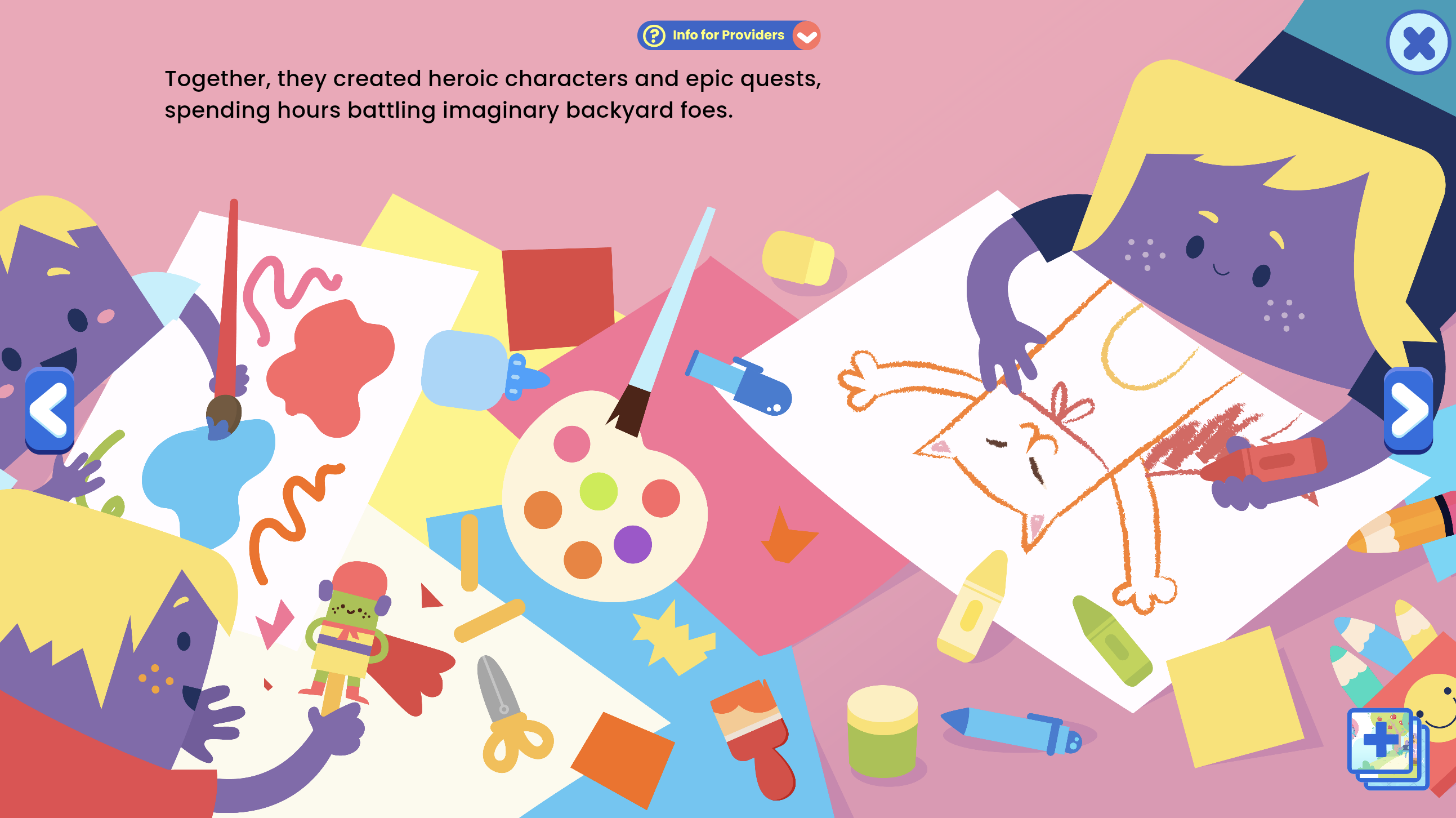
Memory Box
Digital space for collecting and storing meaningful items. Use it to guide reflection on what students will miss about the school year and what they’re looking forward to in the summer, making space for both closure and anticipation.

Opposite Action
Teaches the skill of taking action opposite to an unhelpful emotional urge. Use it to prepare students for moments during summer when they might want to withdraw or avoid and instead choose activities that lift their mood.
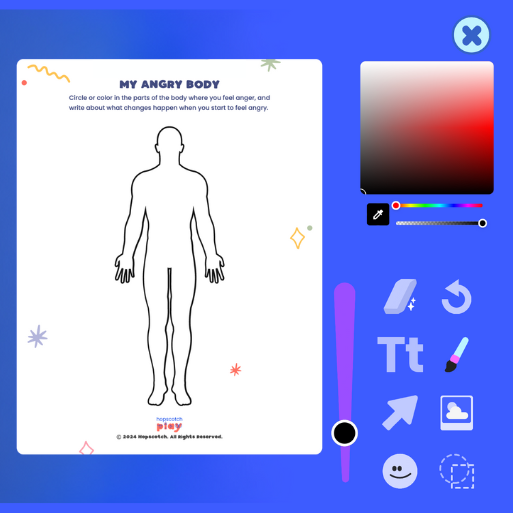
Interactive PDF Editor
Welcome to the Interactive PDF Editor!
This tool lets you and your client bring worksheets and activities to life with drawings, text, stickers, and more—all within the platform. Let’s take a quick tour of the features so you can make the most of it.
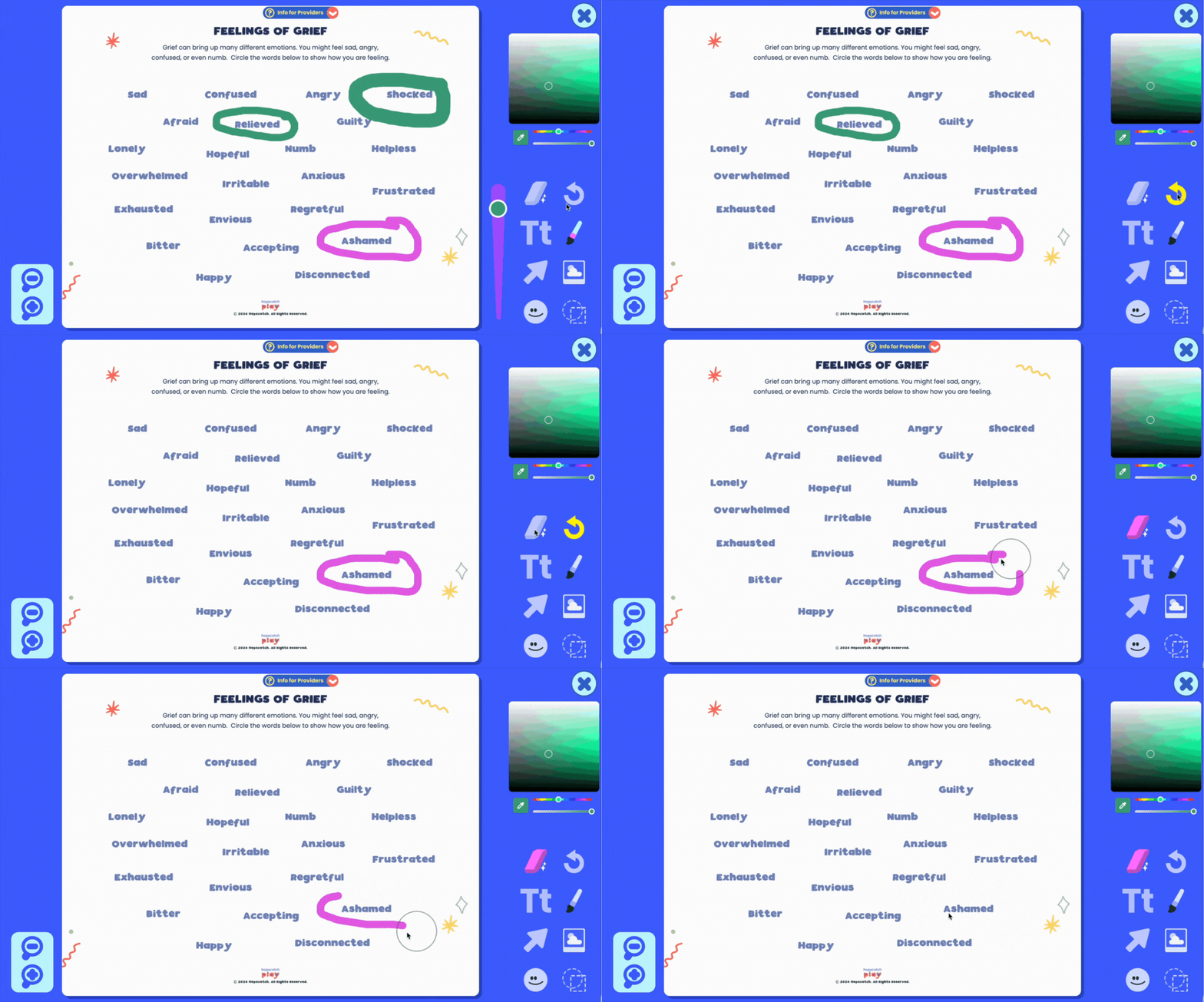
Drawing Tool
This feature lets your client draw freely on the PDF, making it perfect for expressing creativity, circling answers, underlining key words, writing or drawing. You can adjust the thickness of your line using the slider—whether you want a fine tip for details or a thick line for bold marks.
To make it more personalized, use the color palette to select any color you’d like. The sliders let you fine-tune the exact shade—great for matching mood, highlighting specific sections, or simply using a favorite color.
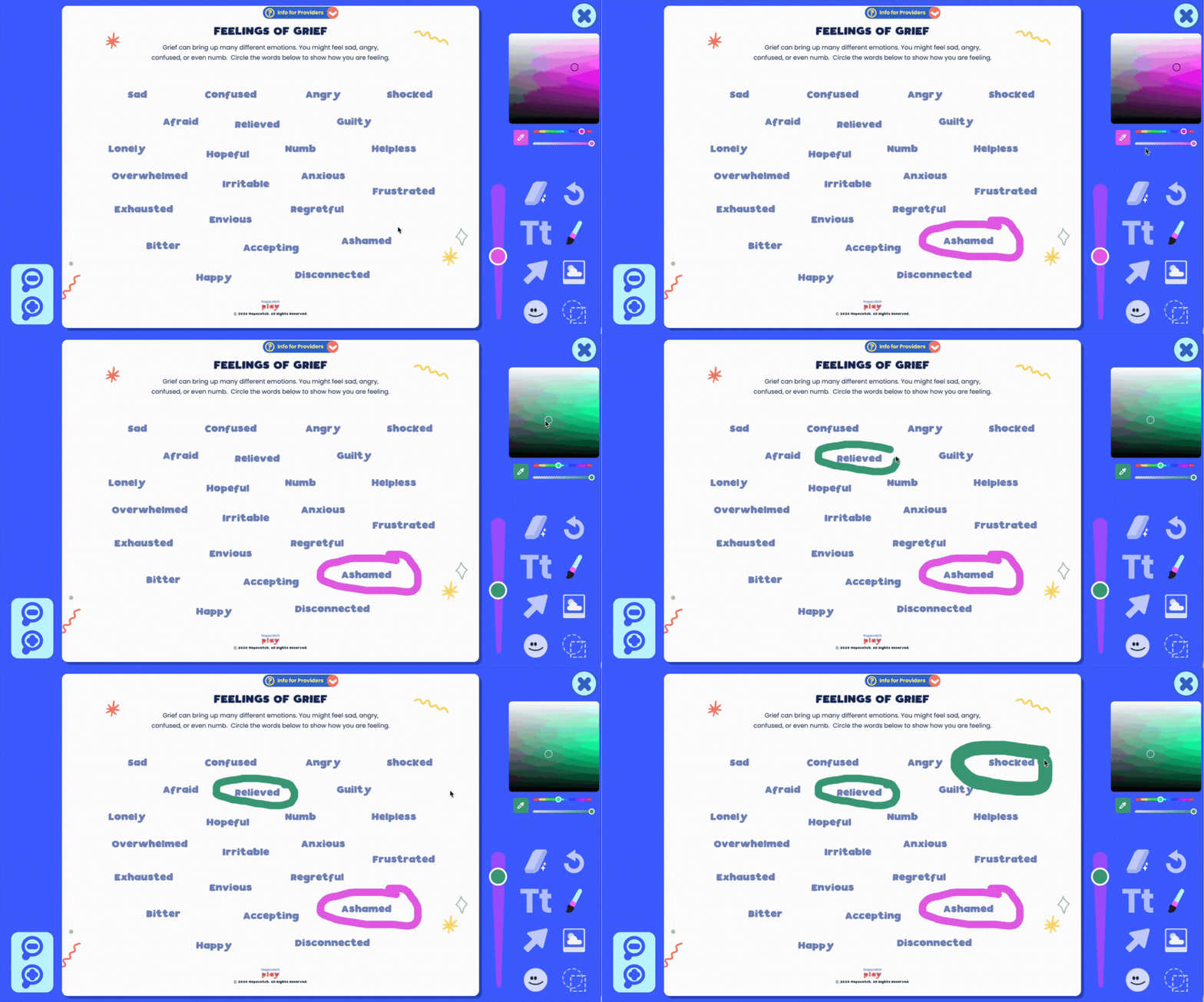
Erase/Undo
Need to make a change? Use the Erase Tool to remove specific parts of a drawing, or the Undo Button to quickly reverse your last action. If you want to start over completely, the Clear All button will erase everything on the page.
Text Tool
With the text tool, you can choose from a variety of fonts to match the tone or style you're going for, and use the slider to adjust the text size to fit just right. You can also align your text to the left, center, or right, depending on how you want it to appear on the page.
And just like with the drawing tool, the color palette lets you customize your text color.
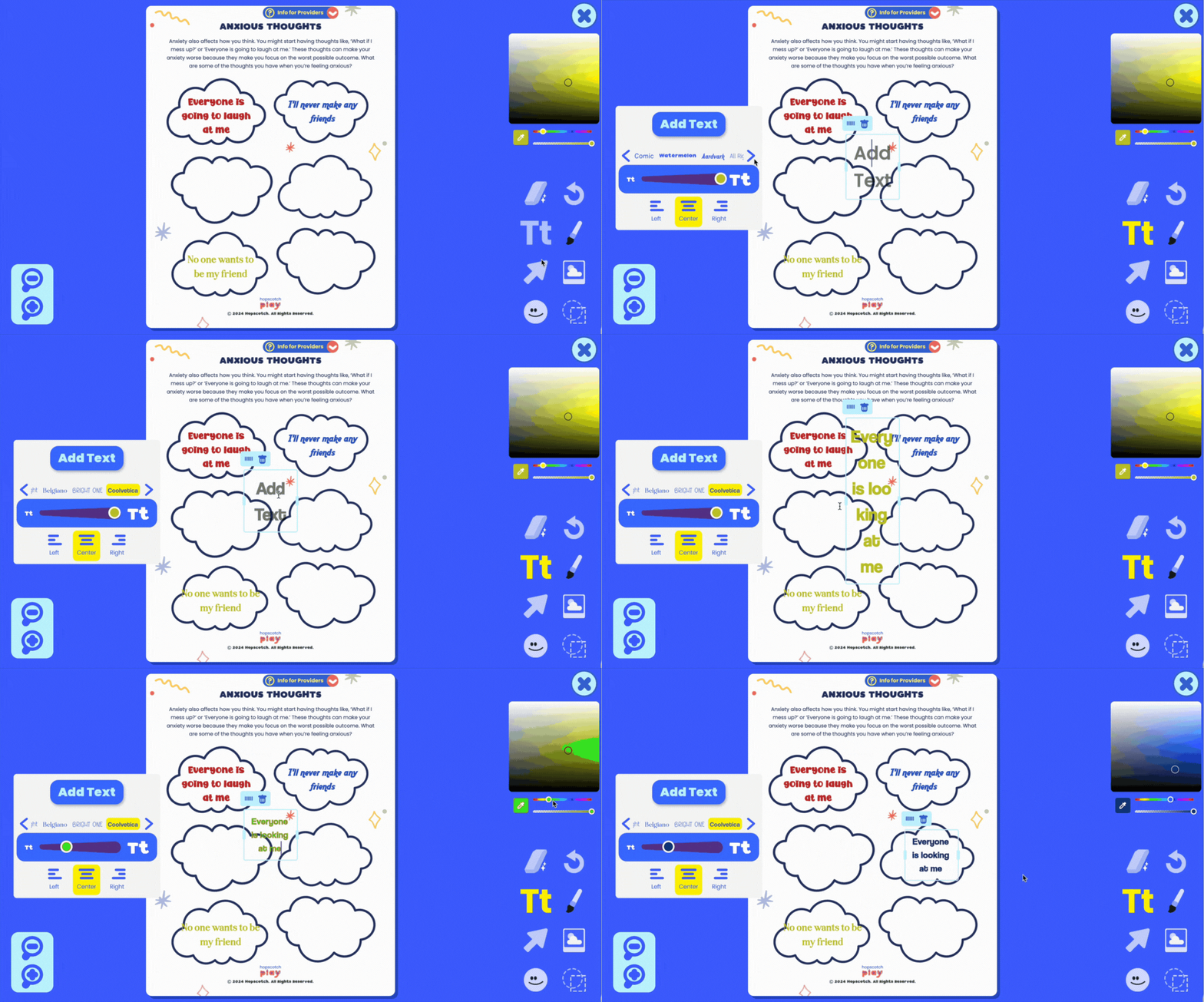
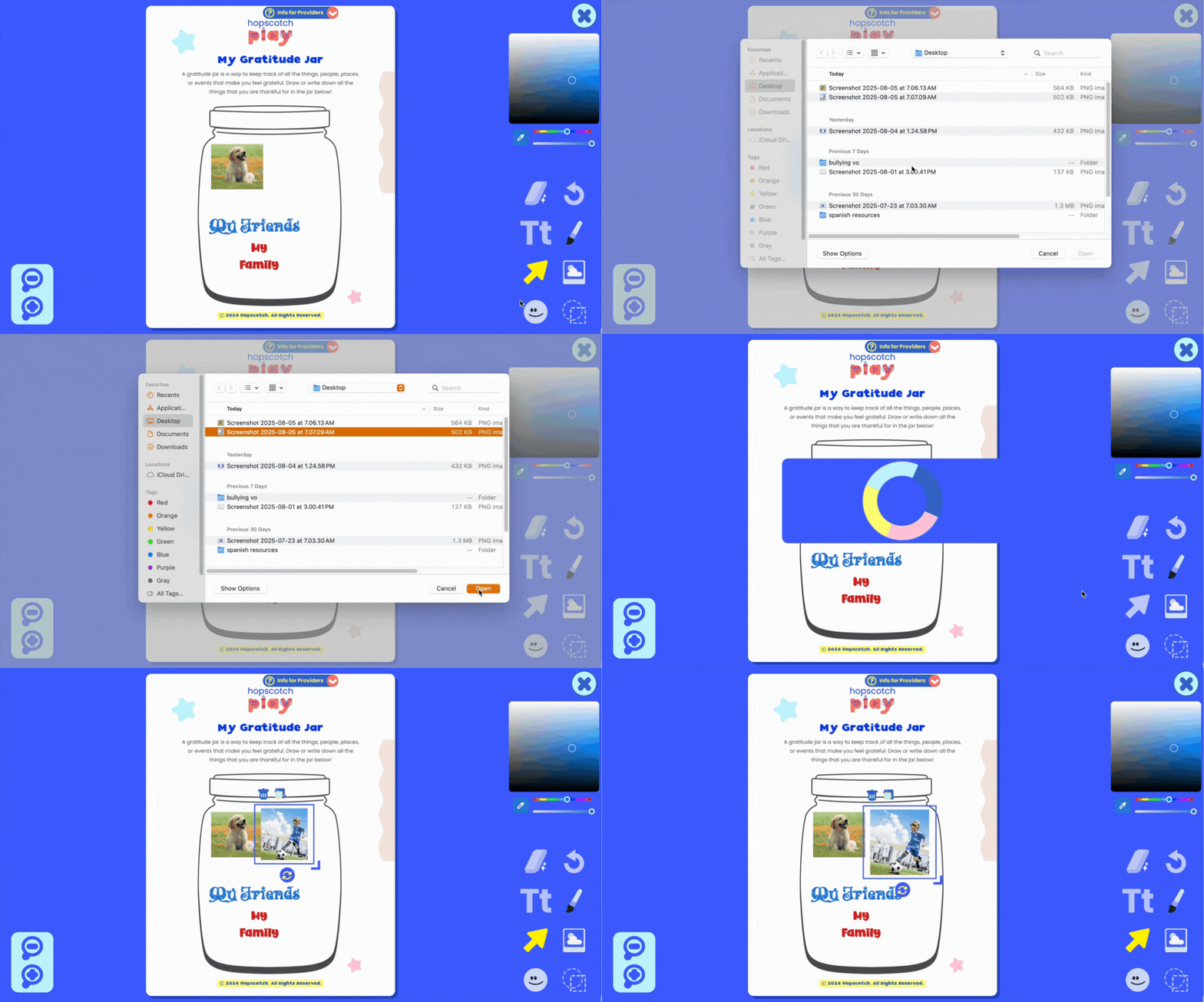
Image Upload
Want to get even more creative? Client can upload their own images directly into the document. This feature is great for personalization and customization—your client can add photos, artwork, or other visuals that feel meaningful to them.
Uploading their own image can help bring the activity to life and make it more relatable. Whether it’s a picture of their pet, a calming place, or something that represents a goal, adding images can deepen engagement and make the worksheet feel more personal.
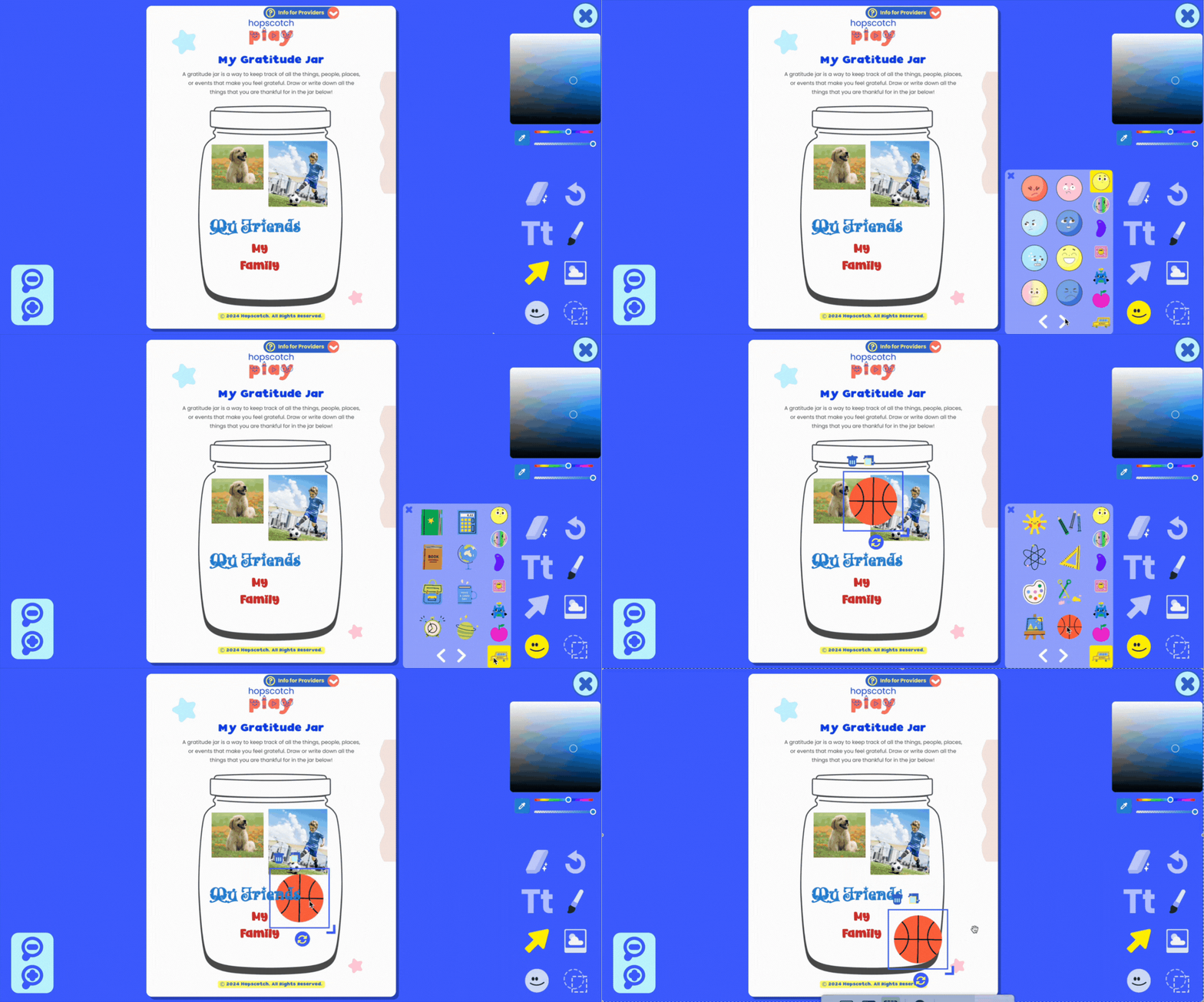
Adding Stickers
There’s also a Stickers Tool with a wide variety of kid-friendly images to choose from—like emotion faces, objects, graphics, and more. Stickers can be used to label, decorate, or mark certain areas of the PDF, depending on the activity.
Clients can click to place a sticker anywhere on the page and move or resize it as needed. This can be helpful for adding a visual element to support learning or simply to make the worksheet more engaging.
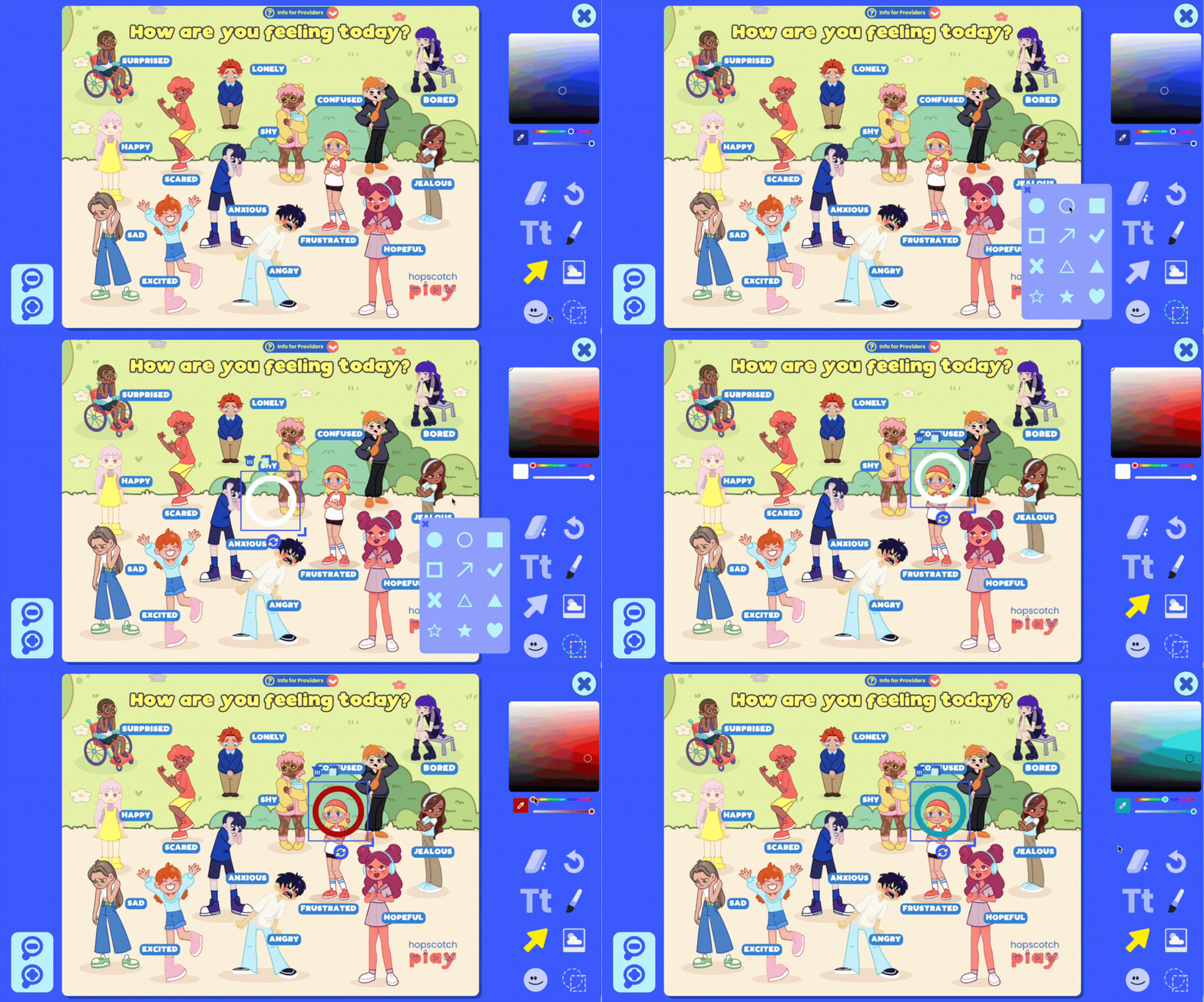
Adding Shapes
The Shapes Tool gives you options to add filled or outlined shapes, with full control over colors using the palette.
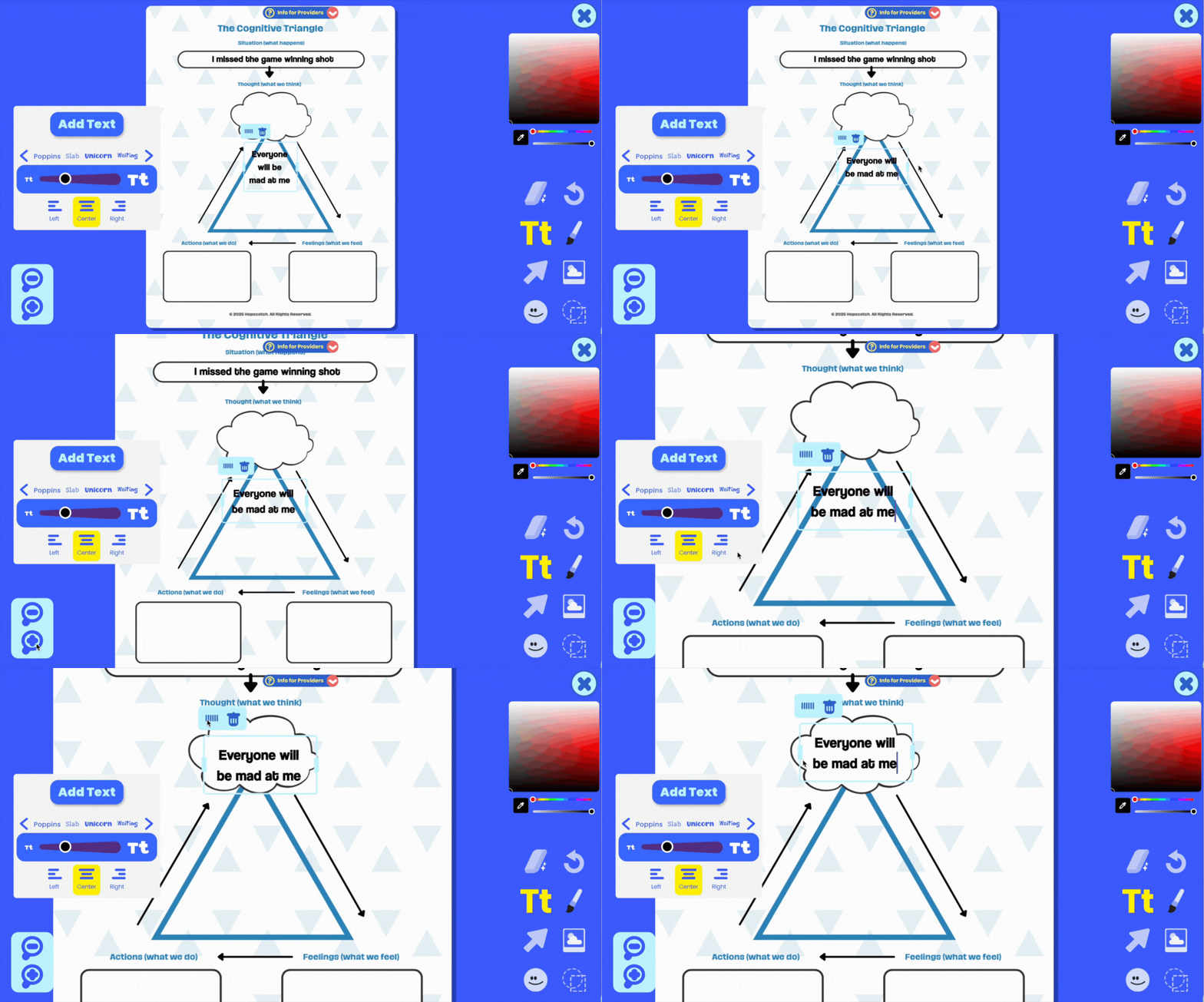
Zoom In/Out
You’ll also notice Zoom Buttons that let you zoom in and out of the document for more precise editing.
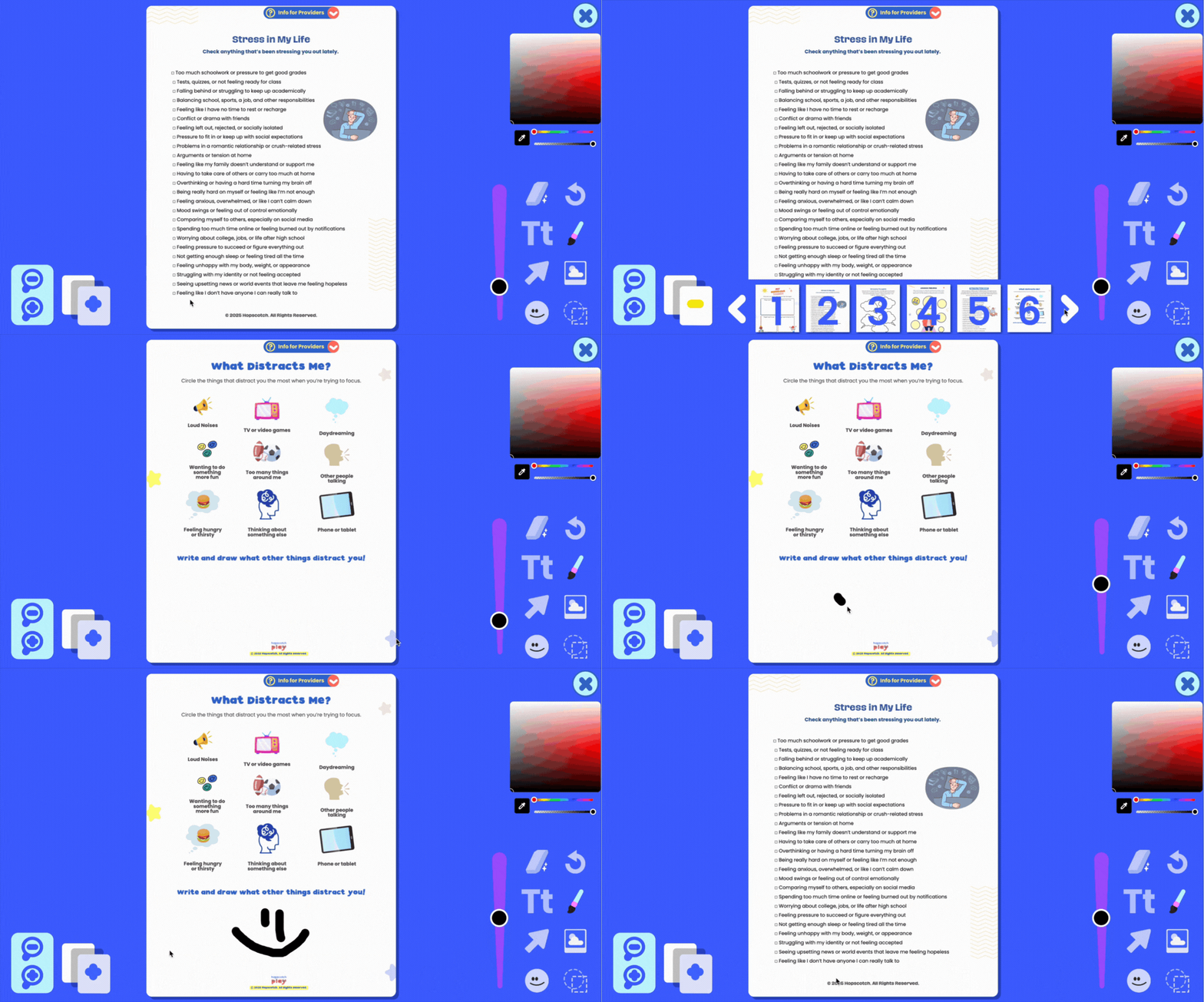
Multi-page PDFs
Multi-page documents are also supported. Just click the multi-page button to view all pages in your PDF and navigate between them. You can edit each page individually, and your edits will be saved to the correct page.
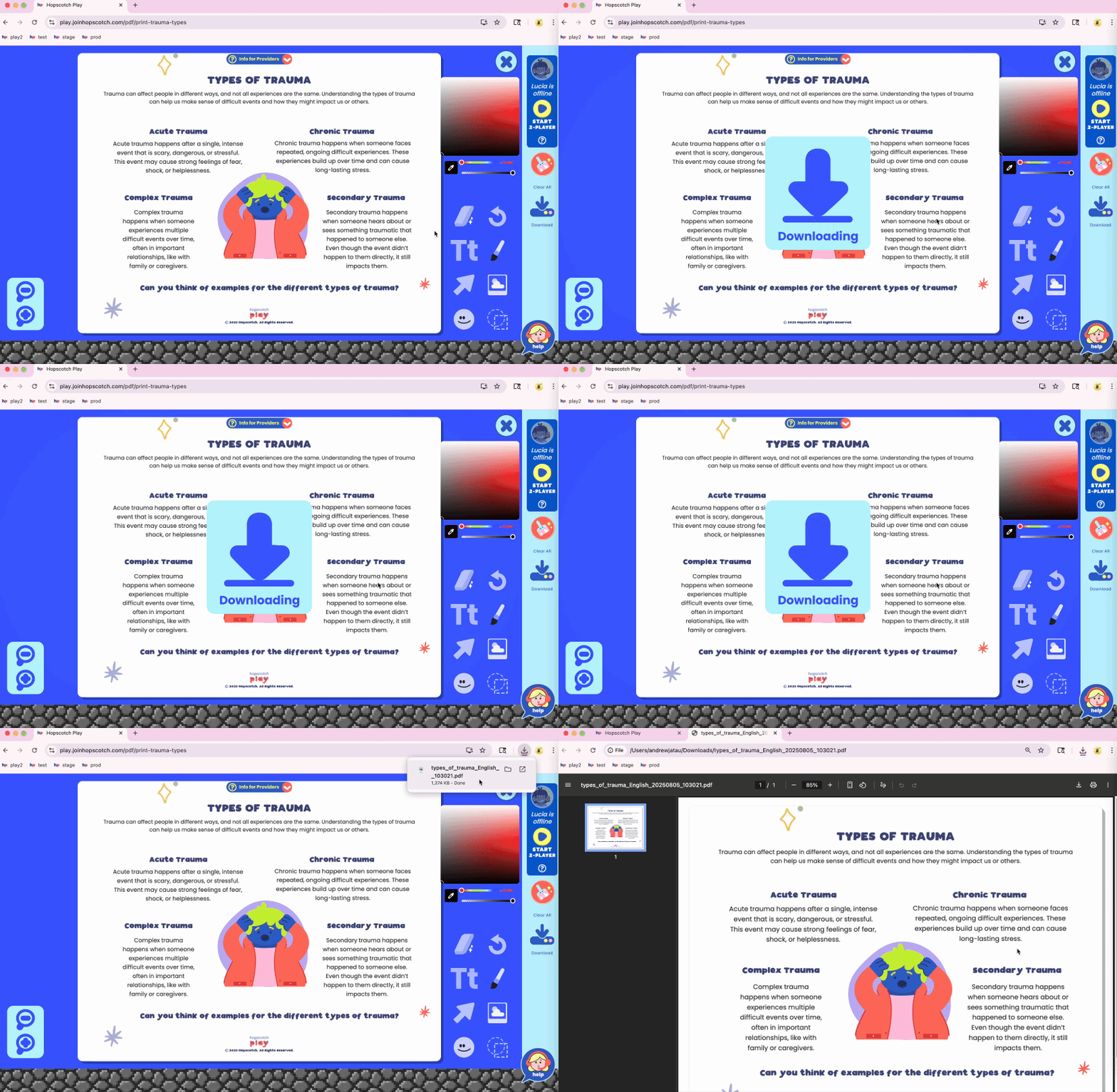
Download PDF
When you're done, use the Download Button to save your edited PDF. You can print it out, upload it to a client’s file, or send it electronically.
Saved Progress
And don’t worry—progress is automatically saved. If you leave the editor and come back later, you’ll pick up right where you left off.
The Interactive PDF Editor is here to support creativity, connection, and meaningful moments in every session. We can’t wait to see what you and your clients create.
Hopscotch Play Group Plans
If you’re part of a group, clinic, or larger organization, we make it easy for your whole team to get access to Hopscotch Play!
Why upgrade to a Group Plan?
- ✅ Special group discounts to help your clinic save (can be discounted to as low as $16/user/month)
- ✅ Easy set up and access for teams
- ✅ Group trainings or live demos available to help your team get the most out of Hopscotch Play
- ✅ Simple seat management right from your account settings
- ✅ Support from our team if your admin has questions
Whether you're a solo therapist in a clinic or part of a large agency, you can upgrade or switch your account to a Group Plan in just a few clicks.
How to Upgrade
If you're looking to upgrade, you can do so within your account settings on Hopscotch Play. Simply visit Billing, go to Current Plan, and use the toggle to add seats. You'll see your discounted price change as you add seats. Once confirmed, your group plan will begin, and you can immediately start sending invites to your team members.
Want Help Presenting Hopscotch to Your Team?
Our team is more than happy to chat directly with your administrator or clinic director to walk them through the benefits of Hopscotch Play and how it supports clinicians like you. If you’d like us to connect with someone at your organization, you or any administrator at your group can fill out the form here and we’ll be in touch quickly!

My Body Today
Welcome to My Body Today!
This interactive body check-in game helps kids and teens tune into how their body feels in the moment. It’s a great way to build awareness of physical sensations, recognize where emotions might be showing up in the body, and support mindfulness and regulation.
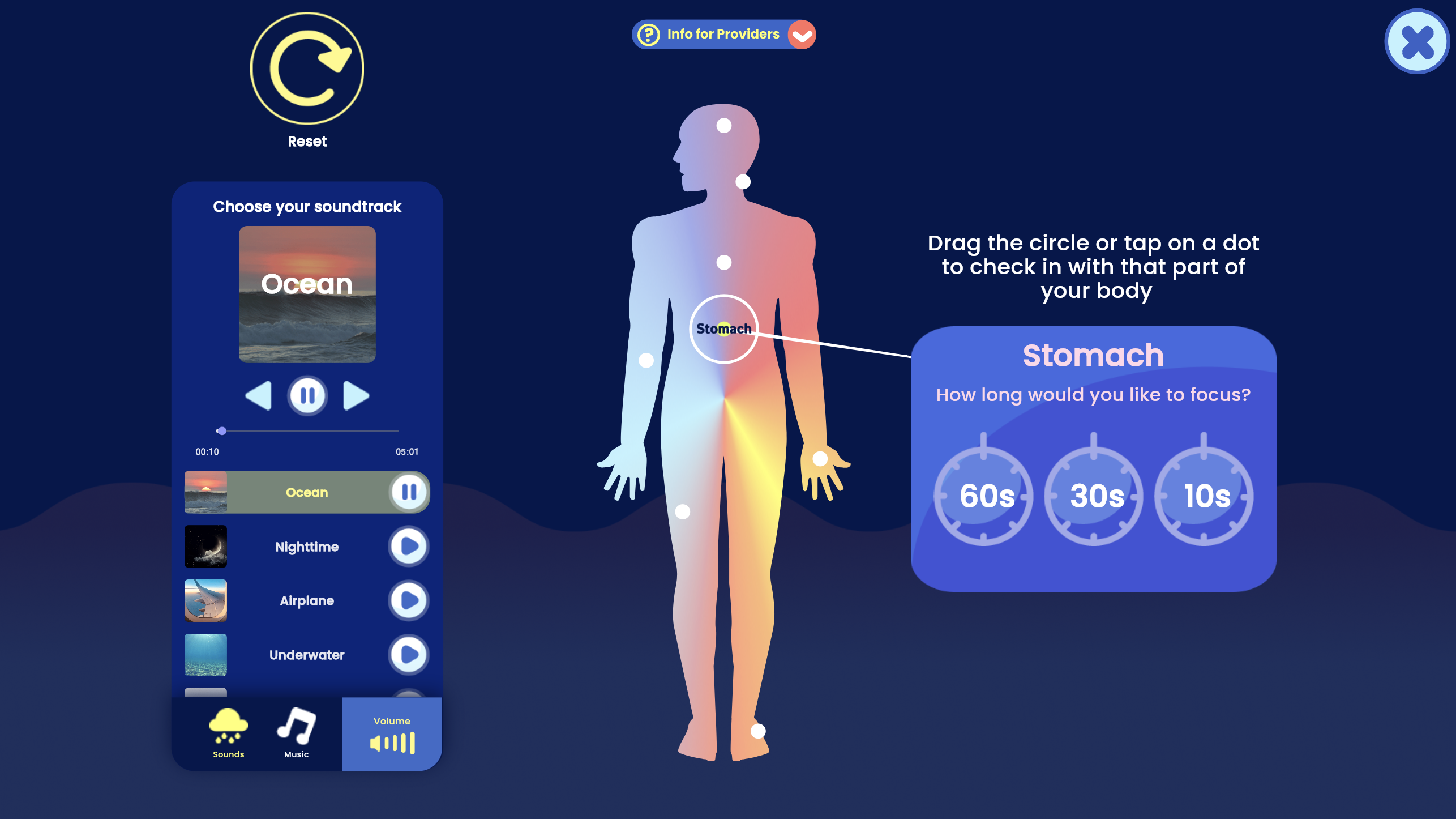
To get started, enter My Body Today. On the left side of the screen, you’ll find a playlist of ambient sounds, nature sounds, and calming music. Have your client choose something that helps them feel focused and grounded before beginning the check-in.
On the right is the Body Check-In Tool, a full-body silhouette with circles placed across different body areas. Your client can click on a body part or drag a circle to the specific area they’d like to focus on.
Once a body part is selected, your client can choose how long they want to focus there—10, 30, or 60 seconds. Encourage them to pick a time that matches their attention span—shorter for younger clients, longer for teens or those comfortable with body awareness.
When the timer starts, invite your client to close their eyes and gently direct their attention to that part of their body. A soft sound will let them know when time is up so they won't need to watch the timer. Afterward, they can type in what they noticed—sensations, feelings, or even a simple “nothing” if that’s what they felt.
You can pause here to explore what they wrote before moving on to another body part. As they continue their check-in, they can revisit any body part at any time to view their notes. If needed, there’s a reset button to start over from the beginning.
When the check-in is complete, you’ll have the option to download a PDF copy of their body check-in, including their written reflections. This can be helpful to review over time, upload to their client file, or to share with caregivers if appropriate.
My Body Today can be used to support grounding, during emotion-focused work, or after coping skills practice to reflect on how the body feels. It encourages kids and teens to slow down, notice their internal experiences, and connect physical sensations to emotional states.

SUDS
Welcome to SUDS—The Subjective Units of Distress Scale!
This simple but powerful tool helps kids and teens rate how big a feeling is in the moment—especially tough ones like stress, worry, fear, or sadness.
To begin, click the plus sign to start a new scale. You’ll be asked to choose between two scale styles: the Number Scale, which is best for older kids or teens, and the Emoji Scale, a more visual and kid-friendly option that works well for younger clients.
With the Number Scale, clients can slide to pick a number between 0 and 100 to show how distressed they feel. As they move the slider, the corresponding result will highlight in real time. This gives you a natural opportunity to explore their choice. You can ask process questions such as, what made the number feel that high or that low, and what might help bring it down?
When they're ready, they can hit Save. Back on the main screen, you’ll see their score saved along with a timestamp. This makes it easy to track emotional patterns over time and notice progress.
The Emoji Scale works the same way, but instead of numbers, kids click through expressive emoji faces to pick the one that matches how they feel. The scale ranges from 0 to 10, with faces that reflect increasing levels of distress. This option is especially helpful for young kids or older kids and teens that are visual learners.
Once they’ve picked a face that fits, you can talk with them about why they chose it and what tools or supports might help. When they hit Save, their score and timestamp are recorded, just like the number scale.
Back on the menu, you’ll see a record of the client's past scores from both scales. Clicking on a past score will give you an option to delete or download a PDF version of the assessment. This is perfect for printing, emailing, or adding to the client’s file.
SUDS is a great way to check in, track emotional intensity, and open up space for reflection and skill-building.

Everyday Feelings
Welcome to Everyday Feelings!
This game is designed to help kids learn about different feelings and how to recognize them in themselves and others. It’s a fun way to build a feelings vocabulary, learn social cues, and work on social skills. In Everyday Feelings, you'll find 20 different feeling words. Simply scroll through using the arrows or click on a character to see a new feeling word. Each character will show you a facial expression and body language that matches how someone might look when they feel that way.
If you want to learn more about a feeling, click on the plus sign. This will open up four helpful buttons to dive deeper into each emotion. The first button gives a simple, kid-friendly definition of the feeling, helping you understand what it means. The second button tells you more about how that feeling looks in real life, explaining the social cues you might see in someone who is feeling that way. The third button shows you six similar feeling words that you might already know, expanding your feelings vocabulary. And the last button offers a short story about the character experiencing that emotion, so you can understand what it feels like in a real situation.
Each section also has a button that will read the text aloud to you, so you can listen and learn. Everyday Feelings can be a great tool for feelings check-ins and for expanding your emotional language. It also helps you better understand social cues, practice empathy, and recognize how feelings influence behavior.
Ready to explore the world of feelings? Let’s get started!

