Home › Hopscotch Play Guide › Sammie's Sen5es
Sammie's Sen5es
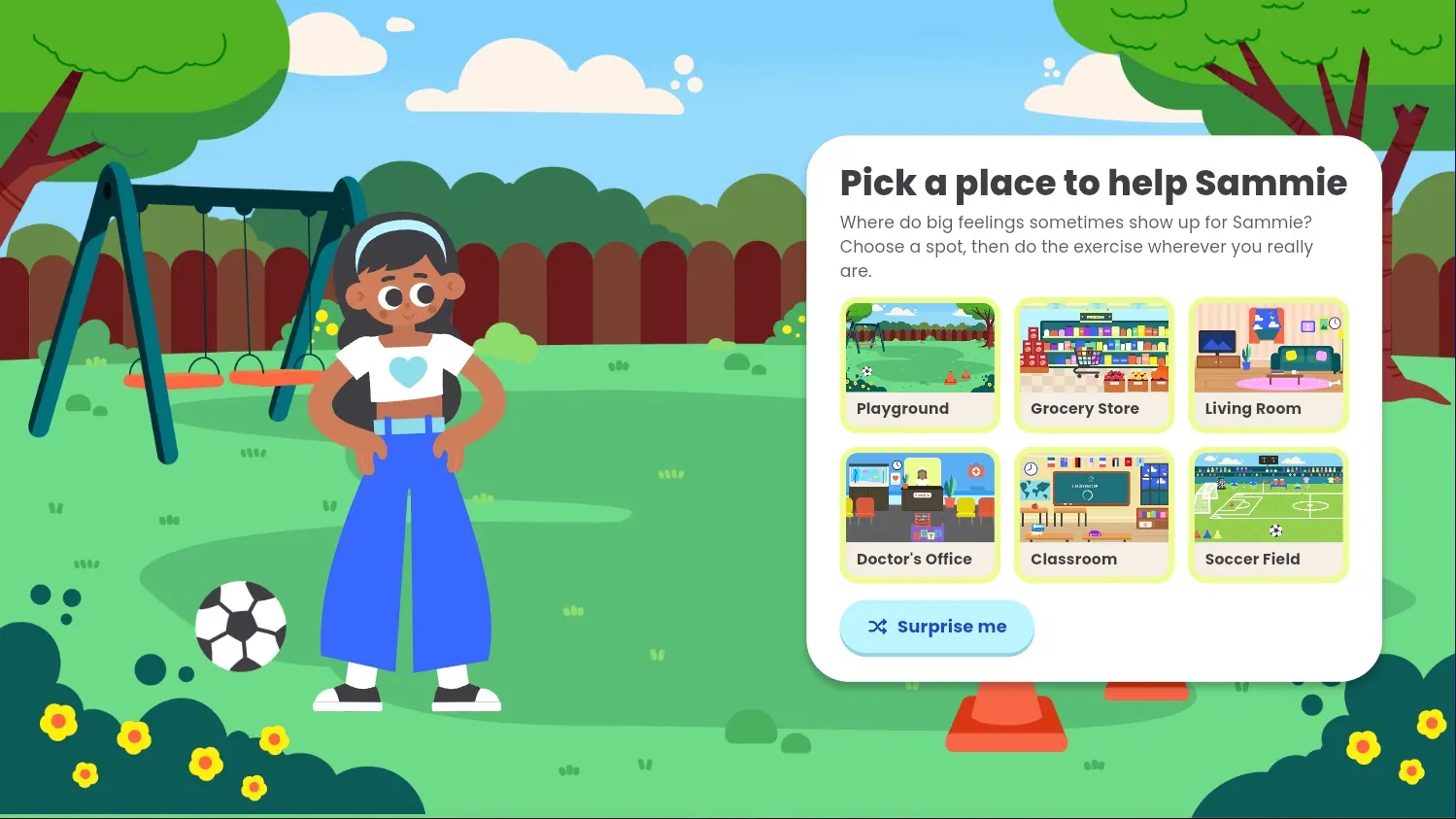
Sometimes Sammie feels anxious, at the playground, at the doctor's office, or even at home. In Sammie's Sen5es, your client helps Sammie feel calm by noticing the world around them with all five senses. It's the 5-4-3-2-1 grounding technique, turned into a gentle game you can play together. Here's how it works.
Step 1: Pick a place
The game opens with "Pick a place to help Sammie." Choose one of six places:
- Playground
- Grocery Store
- Living Room
- Doctor's Office
- Classroom
- Soccer Field
Not sure where to start? Tap Surprise me and the game will pick for you.
Step 2: Hear Sammie's story
Each place comes with a short story about why Sammie feels anxious there, like not knowing what to expect at the doctor's office or feeling watched on the soccer field. It's a great moment to ask your client if they've ever felt that way too.
Step 3: Choose a sense
Pick any of the five senses to start. You can do them in any order:
- See 5 things
- Touch 4 things
- Hear 3 things
- Smell 2 things
- Taste 1 thing
Finished senses get a green check, so it's easy to see what's left. Want a different place? Tap Change place.
Step 4: Watch Sammie go first
Sammie shows how it's done by noticing things around her, like the red swings or birds chirping at the playground. When she's finished, tap My turn!
Step 5: Take your turn
Now your client looks around the real room they're in and finds their own things. For each one they find, they tap a circle to check it off. They can also type what they found, and pressing enter checks that row automatically. Typing is optional, so a simple tap works too.
When every circle is checked, tap I found them all!
Step 6: Earn a sticker
Each finished sense earns a sticker, and one of the five hearts on Sammie's calm meter fills up. Tap Pick another sense to keep going.
Step 7: See how Sammie feels
After the fifth sense, tap See how Sammie feels for a celebration with confetti and a happy, laughing Sammie. The final screen shows "What we noticed," a summary of everything your client found.
Step 8: Save a keepsake
Tap Download picture to save a card of everything your client noticed, with the place and date. You can also tap Download as text for a plain version. Ready for more? Tap Help Sammie somewhere new.
Helpful controls
- Voice on/off: Use the toggle in the top bar to mute or unmute the narrator and sounds.
- Replay: Tap the replay button on any narration box to hear it again.
- Start Over: This button is available on every screen after you pick a place. If you've checked anything off, the game asks before clearing your progress, so tap Keep going if you change your mind.
Tips for using Sammie's Sen5es in session
- Use the real room. Your client's answers come from wherever they are right now, which makes the game different every time.
- Any answer counts. Small or silly answers are welcome. The goal is noticing, not getting it "right."
- Save before you go. Progress doesn't carry over to your next visit, so download the keepsake card if your client wants to keep it.
- Practice when calm. Grounding skills stick best when clients practice them before they need them.
- Try a new place. Each place has its own story, and Sammie notices different things each time, so it stays fresh across sessions.