Features › Client dashboard
A space in therapy that actually feels like theirs.
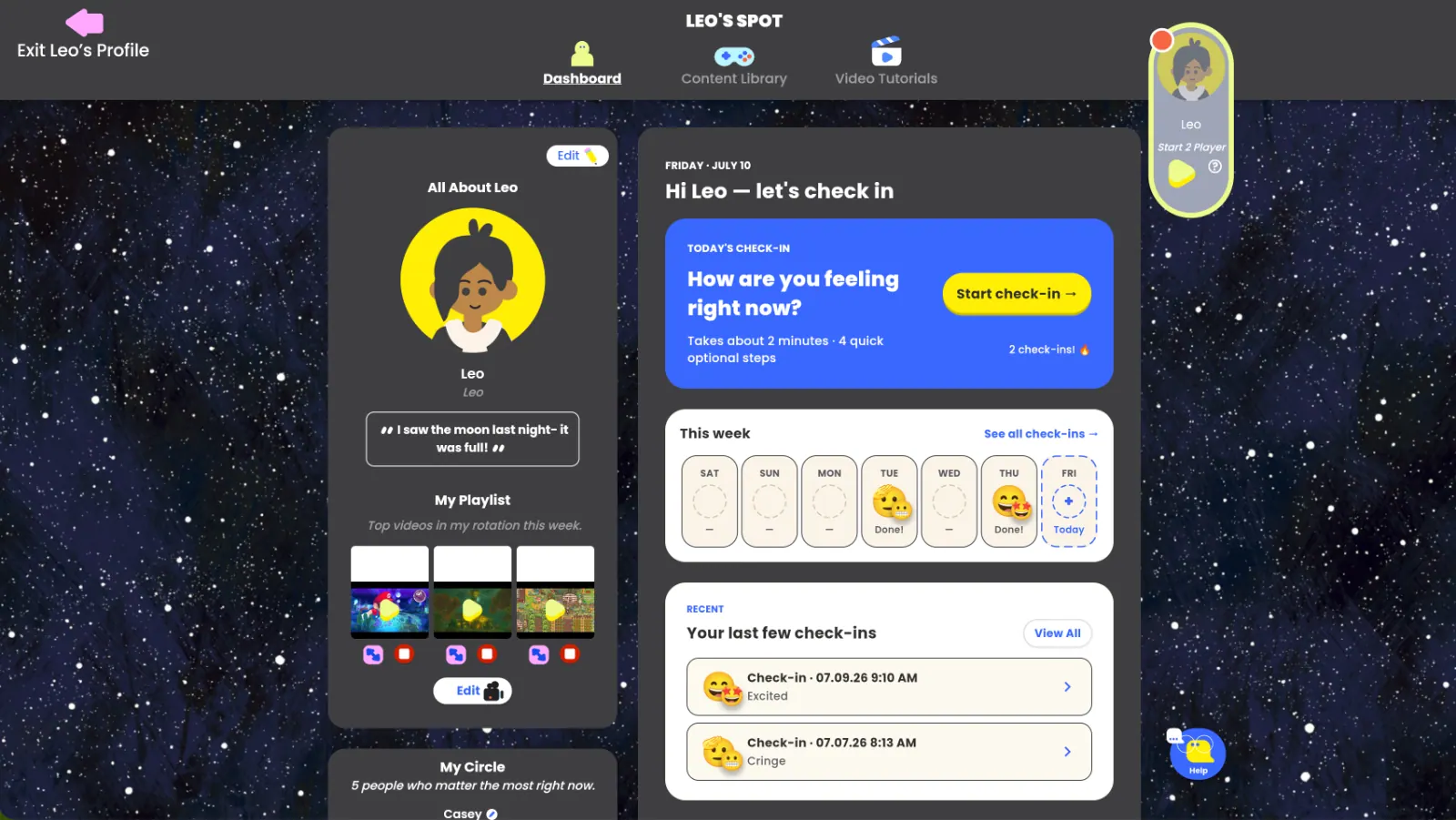
Every client gets a personalized dashboard they can make their own and access anywhere.
Ages 5–18 · Fully customizable · Teen and kid views
Kids in therapy spend their lives
being told what to do.
A space they genuinely own isn't just nice to have — it's a clinical intervention in its own right.
Agency builds the alliance
When a client chooses their avatar, palette, and feed, therapy becomes something they help build — not something done to them.
Investment drives engagement
Kids who customize a space return to it. The dashboard becomes a reason to log in between sessions.
Identity work happens here
Avatar, status, music, and circle are how kids and teens show you who they are — and who they're becoming.
Eight areas, each doing quiet
therapeutic work.
All About
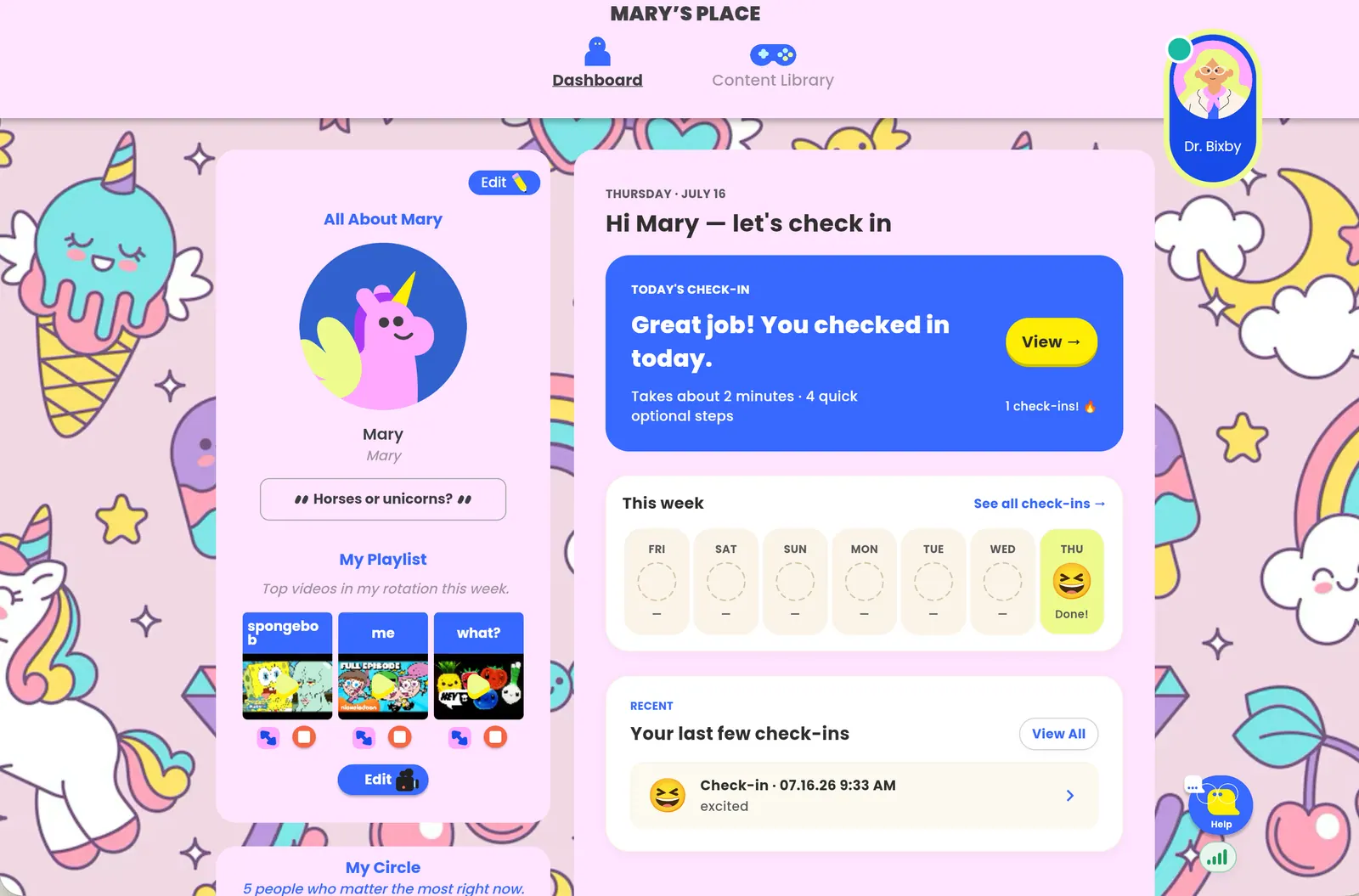
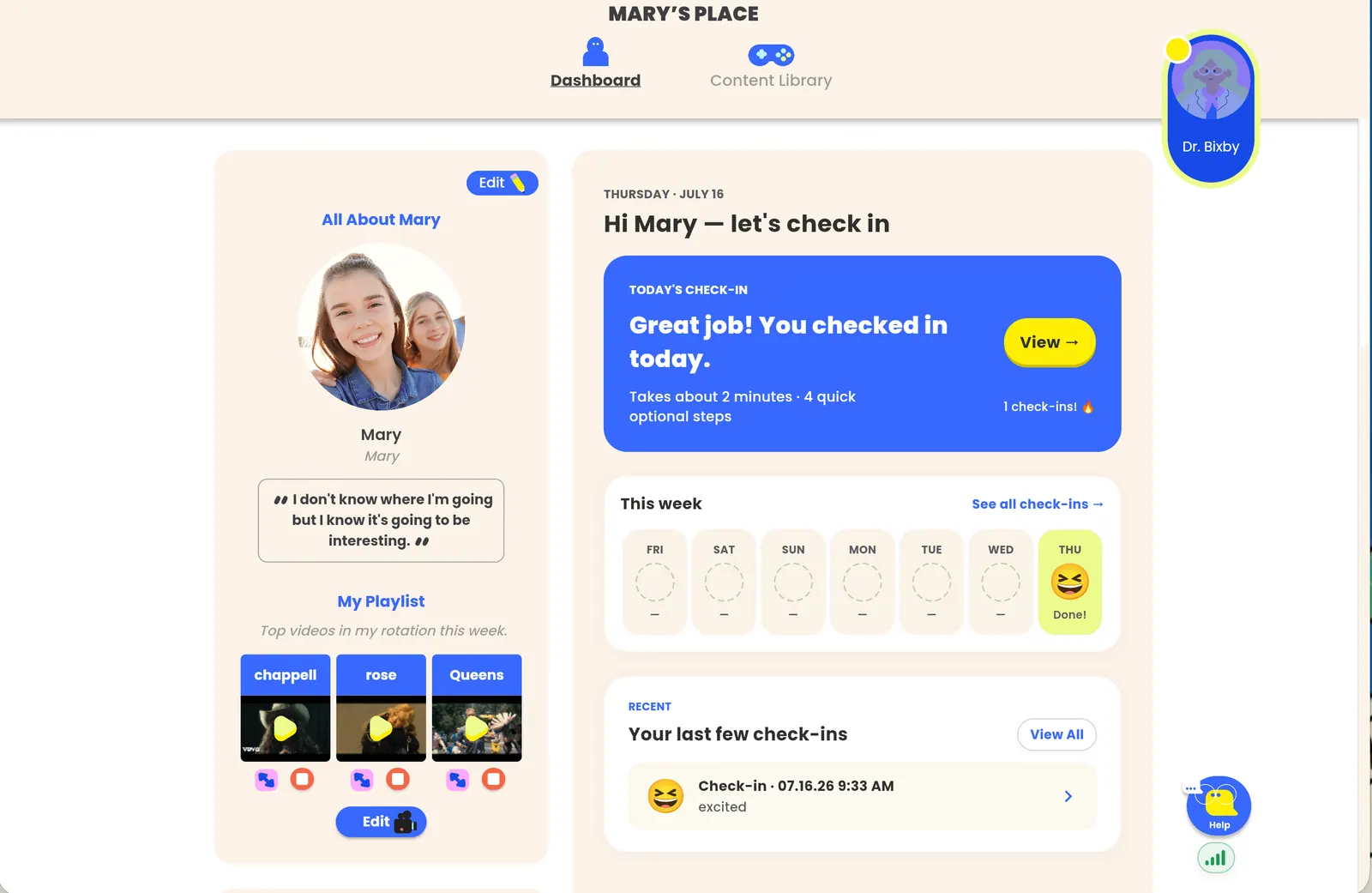
Screen name, avatar, background, and overall look — illustrated characters, Psykick buddies, or their own image.
Customization as self-expression — a natural conversation starter.
Status
A quick line clients update to share what's on their mind right now — casual, ambient, low-stakes.
For clients who can't yet name feelings, a doorway in.
Playlist
Clients drop in links for songs and videos that matter, playable right inside Hopscotch Play.
Music is how kids process emotion — rich session material.
Check-in suite
Feelings by color or emoji, topics on their mind, weekly highs and lows, sleep, appetite and stress.
Sets the agenda before the first word is spoken.
My Circle
Clients add the top five people in their support system — names, avatars, photos.
Makes support networks visible and discussable.
Goals
Collaborative goal-setting with a slider clients and clinicians update together, week over week.
Visual progress that clients own — not a hidden chart.
Mini mission & trivia
A small weekly challenge, a fun poll, and a trivia question to spark conversation.
Low-pressure engagement that keeps the space alive.
My Feed
Age-tailored feed of mental-health tips, fun facts, and trivia — one version for kids, one for teens.
A social-media feel that's actually good for them.
One dashboard.
Their style.
Every client creates a dashboard that feels like their own. From bright and playful to clean and modern, they can personalize their experience while keeping goals, coping tools, and favorite activities in one place.
A soft landing and a natural arc.
Warm-up via check-in
Open on the check-in suite. Conversation starts before the first question.
Feed & playlist as material
"What's on your mind?" lives in what they've already added.
Goal progress together
Review the goal slider as a collaborative act, not a report card.
A reason to come back
Clients are able to access pinned content to use at home.
The work continues
between sessions.
Clients log in on their own to play the games you've assigned and complete check-ins — so progress doesn't pause when the session ends.
Clients log in on their own
Each client gets their own secure dashboard they can open from home, on any device.
Play assigned games
Hand-pick the specific games and activities a client can access between sessions — no free-for-all.
Complete assigned check-ins
Assign mood and progress check-ins so you walk into the next session already knowing how the week went.
You stay in control
You decide what's available to whom, and see what they've done — nothing is shared without you.

My teen clients don't open up easily. But they'll spend ten minutes customizing their dashboard, showing me the song that matters right now — and just like that, we're having the conversation.
The dashboard, answered.
Choose the client's age range when creating their profile. This helps tailor age-appropriate content, while clients can personalize their dashboard's look and feel anytime.
If you enable home access, the invitation is sent to the client's caregiver, who manages the account and can access the dashboard if they choose.
You control the client account; content can be archived or removed when care ends.
Yes — the dashboard works identically whether you're in-person or on a video call.
One of three that make it work.
Give your next client a space of their own.
14-day free trial, full dashboard access.