Home › Hopscotch Play Guide › My Self Care Tracker
My Self Care Tracker
Self-awarenessSelf-ManagementAnxietyDepressionStress Management
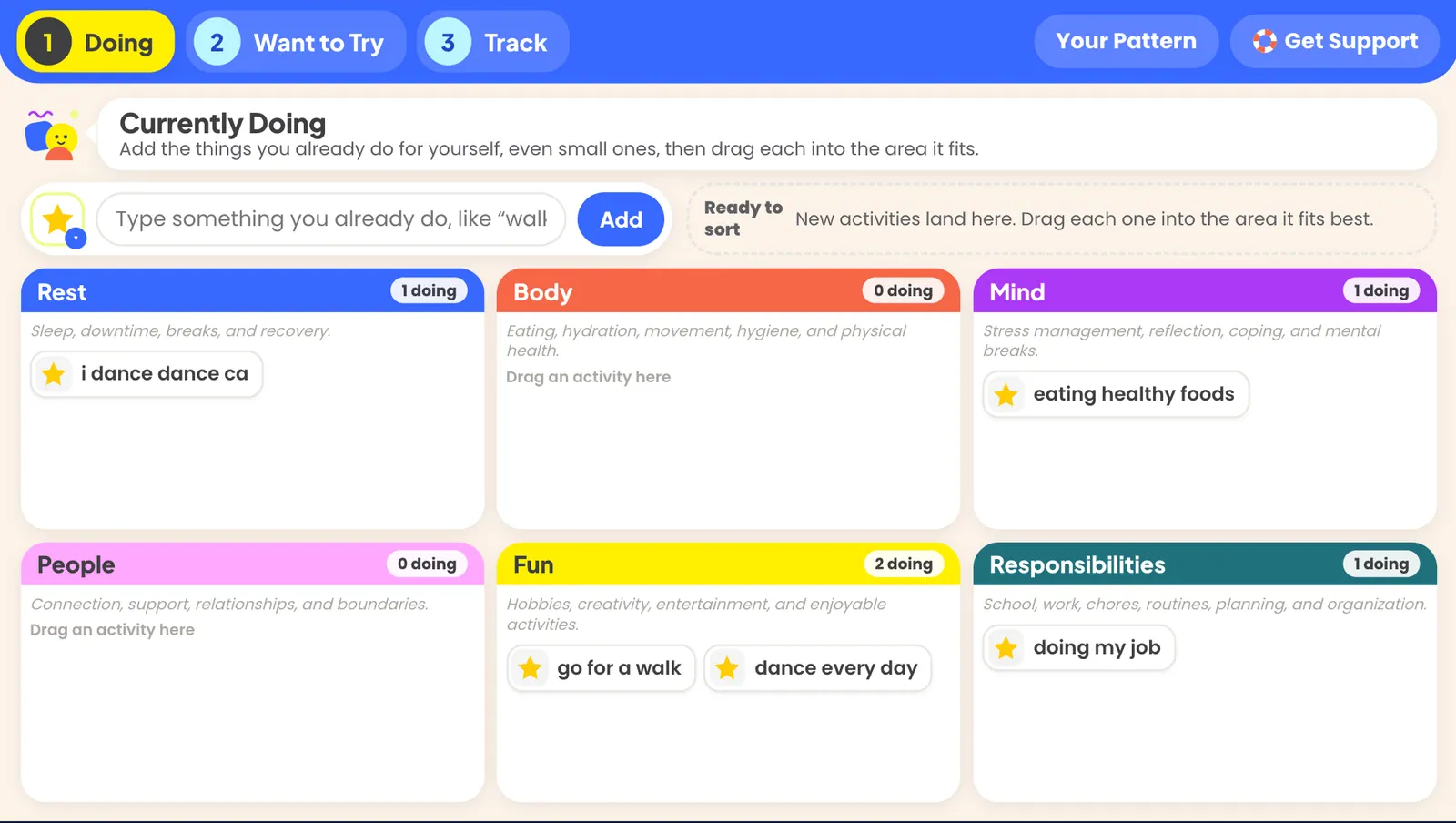
My Self Care Tracker is a digital tool to help your clients track daily self care habits.
To get started, open 1 Doing
- Ask: “What do you do when you need a break or feel stressed?” Small things count.
- Type each activity and tap Add.
- Drag each one into an area. If they’re unsure, ask what it does for them.
- If an activity fits two areas, tap it and use Add a copy to.
- If it helps now but costs later, tap it and turn on Helps now, costs later.
- Tap Your Pattern. Ask: “What’s full? What’s quiet? Any surprises?”
Watch for: empty areas (often People or Rest), and “homework isn’t self-care” pushback.
Open 2 Want to Try
- Ask: “Which area would you like more in?”
- Let them add their own ideas first. If they’re stuck, open Need an Idea?
- Move up to 3 ideas into This Week’s Experiments.
- Tap each experiment and plan when, what might get in the way, and who could help.
- Ask “How likely are you to do this, 1–10?” Below 7, make it smaller.
Open 3 Track (2-min demo) Track and practice one entry together.
- Tap today and pick an area.
- Pick the activity.
- Rate it from 1 to 4, or choose Not sure.
- Tap Save Entry.