Home › Hopscotch Play Guide › Circle of Control
Circle of Control
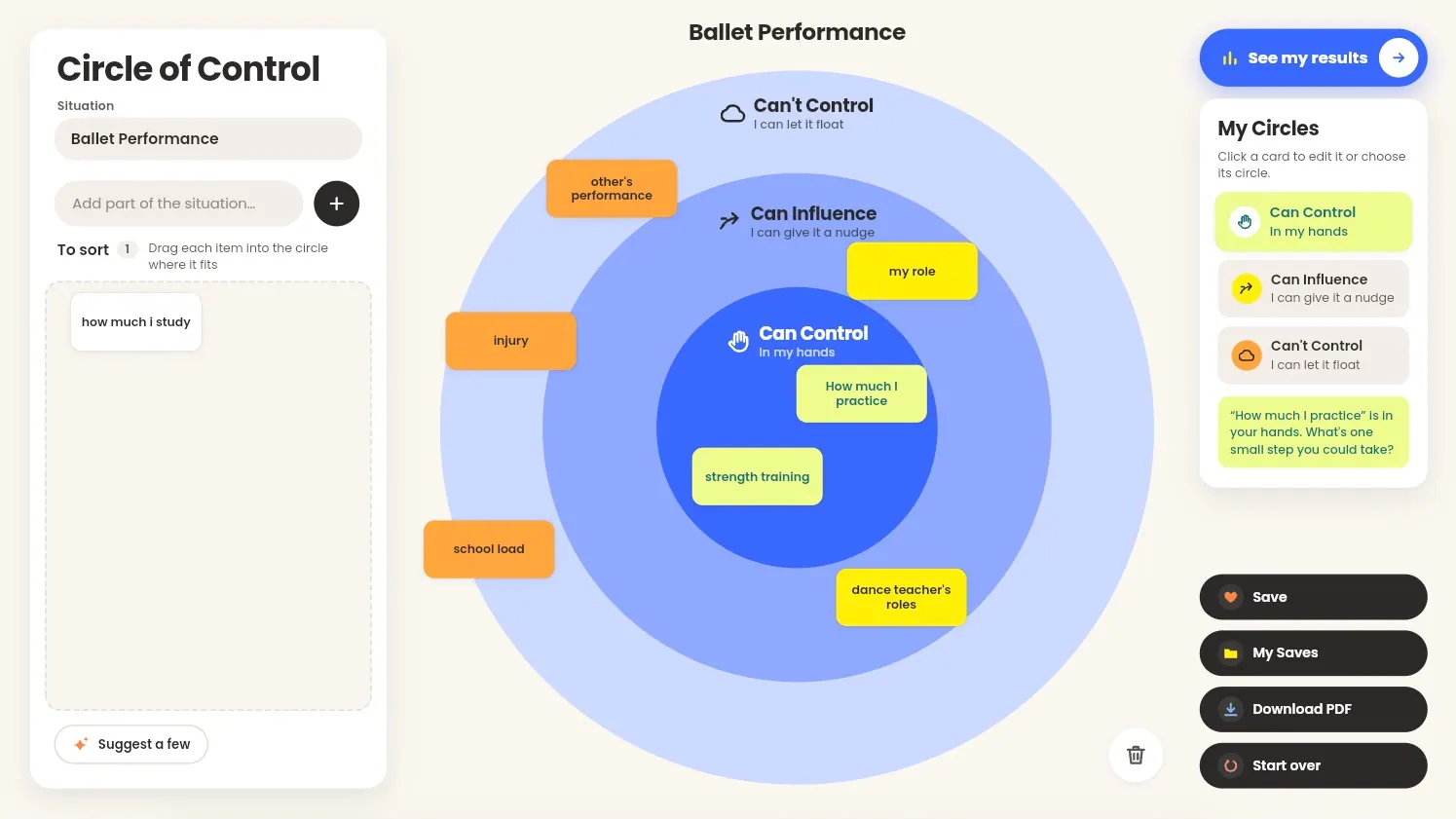
When a situation feels overwhelming, it can help to sort out which parts are actually ours to handle. Circle of Control is a calm, drag-and-sort reflection exercise for teens and adults. Players break a stressful situation into parts, sort each part into one of three circles, and leave with a printable worksheet. A session takes about 10 to 20 minutes, solo or alongside you in session.
The three circles
- Can Control (in my hands): things you can act on directly
- Can Influence (I can give it a nudge): things you can shape, but not decide alone
- Can't Control (I can let it float): things outside your control
Step 1: Name the situation
Type the stressful situation into the Situation field, like "Exam week" or "Moving to a new school." It appears as the title above the circle.
Step 2: Add the parts of the situation
Type each part into Add part of the situation… and press + or Enter. Each part becomes a card in the To sort tray. Keep each card short, up to 40 characters.
Stuck on where to start? Tap Suggest a few to add three starter ideas, like "How much I sleep" or "What others think of me."
Step 3: Sort your cards
Drag each card into the circle where it fits. While you drag, the card previews the color of the circle underneath it.
Prefer clicking? Click a card to select it, then choose a circle in the My Circles panel on the right.
Step 4: Reflect on each card
When a card lands, a prompt appears under the circle tiles that quotes your card back to you, like: "'The news' is outside your control. What would help you set it down?" Take a moment with each one. There are no right answers.
Step 5: Adjust as you go
You can change your mind anytime:
- Move a card: drag it to a different circle, or back to the tray.
- Edit a card: select it and update the text in My Circles.
- Delete a card: drag it to the bin below the circle, or select it and click the lit bin.
Step 6: Review your results
Once every card is sorted (at least three), the Results window opens on its own. You can also open it anytime with See my results. It shows each circle's cards side by side.
Step 7: Answer the reflection questions
At the bottom of Results, answer three questions:
- What is one thing in my "Can Control" circle I can do today?
- Who could help me with something in my "Can Influence" circle?
- How do I feel when I let go of the things in my "Can't Control" circle?
Your answers save as you type.
Step 8: Keep your circle
- Save stores a snapshot you can reopen later from My Saves.
- Download PDF creates a printable black-and-white worksheet with your circle, your cards, and your reflection answers.
- Start over lets you choose Re-sort my cards to send every card back to the tray, or Start fresh to clear everything.
Keyboard shortcuts
Circle of Control is fully playable without a mouse. Focus a card, then:
- 1, 2, or 3 sorts it into Can Control, Can Influence, or Can't Control
- 0 returns it to the tray
- Space selects it
- Enter edits it
- Delete removes it
- Escape closes windows and clears your selection
Sound is quiet and on by default. You can turn it off from the Tools menu, and your choice is remembered.
Tips for using Circle of Control in session
- Let their words lead. Encourage clients to name parts in their own words. The prompts quote those words back, which makes the reflection feel personal.
- Talk through the gray areas. Cards that could go in more than one circle often spark the best conversations.
- Re-sort over time. Revisit a saved circle in a later session and use Re-sort my cards to see whether anything has shifted.
- Print it out. The PDF worksheet gives