Home › Hopscotch Play Guide › Rushmore
Rushmore
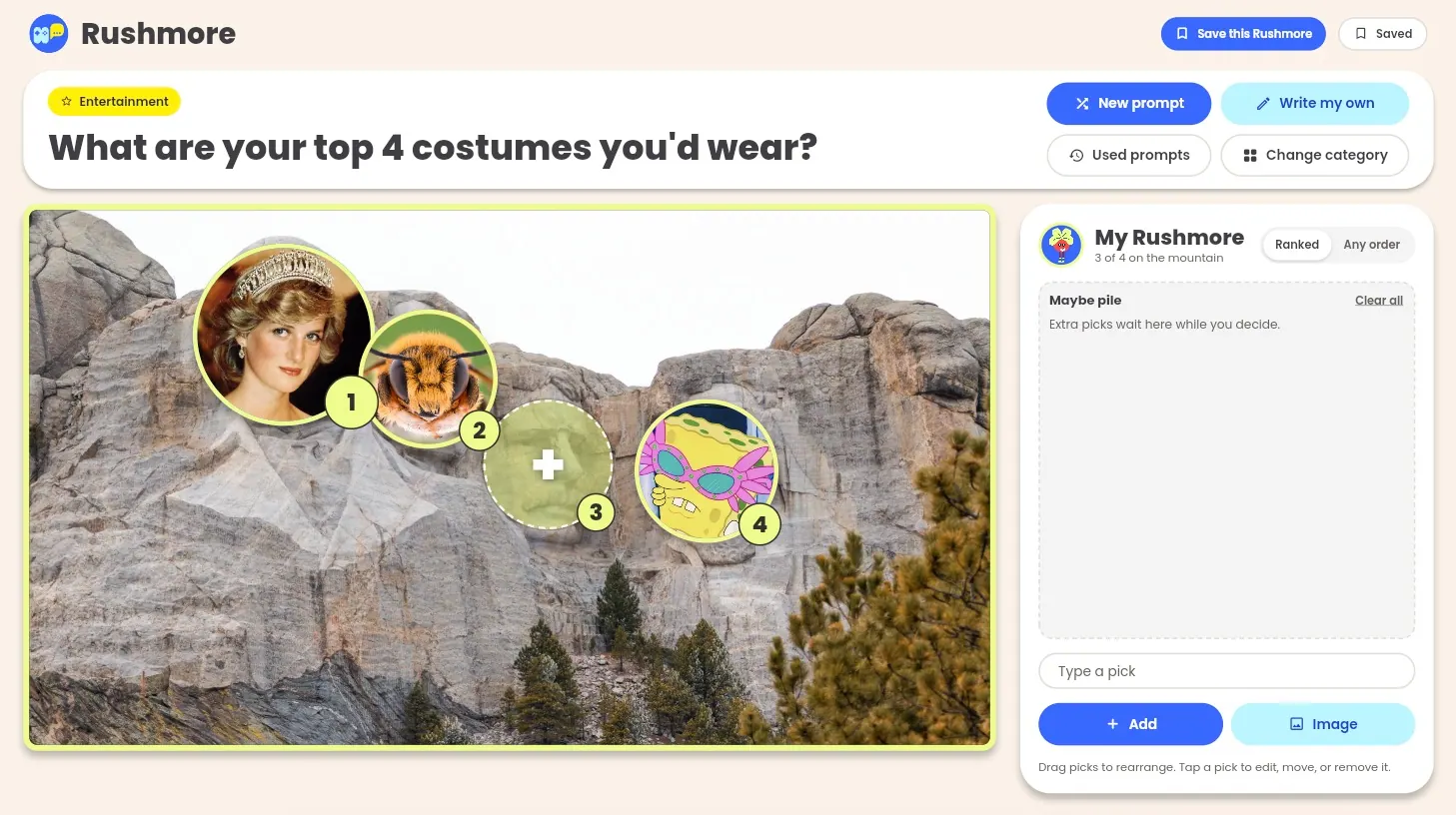
What are your top 4 comfort shows? Your top 4 ways to bounce back after a hard day? In Rushmore, teens pick their top 4 for a prompt and place each pick on one of the four faces of Mount Rushmore. There's no score, no timer, and no right answer. Deciding what makes the cut, and what gets bumped, is where the conversation happens.
Step 1: Choose who's playing
On the start screen, choose 1 Player for your client to build on their own, or 2 Players so you and your client each build your own Rushmore side by side from the same prompt.
Each player can enter a name (optional) and pick a buddy avatar. Then tap Let's go!
Step 2: Pick a category
Categories come in two groups:
- Just for fun: Entertainment, Music, Movies & TV, Games, Sports, Food, and Favorites. These are great for warming up.
- Let's go deeper: About Me, Relationships, Life, and School, for when your client is ready for more meaningful conversation.
There's also a Custom category where you can write your own prompts.
Step 3: Read the prompt
A prompt appears at the top of the screen, like "What are your top 4 foods that remind you of home?" Don't love it? Tap New prompt for another one from the same category, or Change category to switch.
Step 4: Add your picks
Type a pick and press Enter or tap Add. You can also tap Image to add a photo. Each new pick fills the next empty face, left to right. Once all four faces are full, extra picks go to the Maybe pile.
You can also tap an empty face to add a pick right to that spot, either a new one or one from the Maybe pile.
Step 5: Rearrange your Rushmore
Drag picks around until your Rushmore feels right:
- Drop a pick on an empty face to move it there.
- Drop it on a filled face to swap the two picks.
- Drop it on the Maybe pile to bump it off the mountain.
Prefer not to drag? Tap any pick to open Edit pick, where you can move it, change its text, swap in an image, or remove it.
Step 6: Choose ranked or any order
Each Rushmore has a Ranked / Any order toggle. Ranked shows numbers 1 through 4 on the faces, left to right. Any order hides the numbers, for when every pick is equally important.
Step 7: Complete your Rushmore
When all four faces are filled, you'll see a message that your Rushmore is complete. Now talk it through! What almost made it? What got bumped to the Maybe pile, and why?
Step 8: Save it
Tap Save this Rushmore to keep it. Open Saved anytime to come back to a past Rushmore, and use Used prompts to replay a prompt you've already played.
Playing with 2 Players
When you and your client each build a Rushmore, a few extra features come into play:
- Shared picks: If you both put the same pick on a face, it gets a yellow ring, and the top bar shows "You both picked: …" It's not a point or a win, just a conversation starter.
- Hide until reveal: Tap the eye button on your board to cover it so the other player isn't influenced. Tap Reveal when you're both ready to compare.
- **Compare