Home › Hopscotch Play Guide › Memory Box
Memory Box
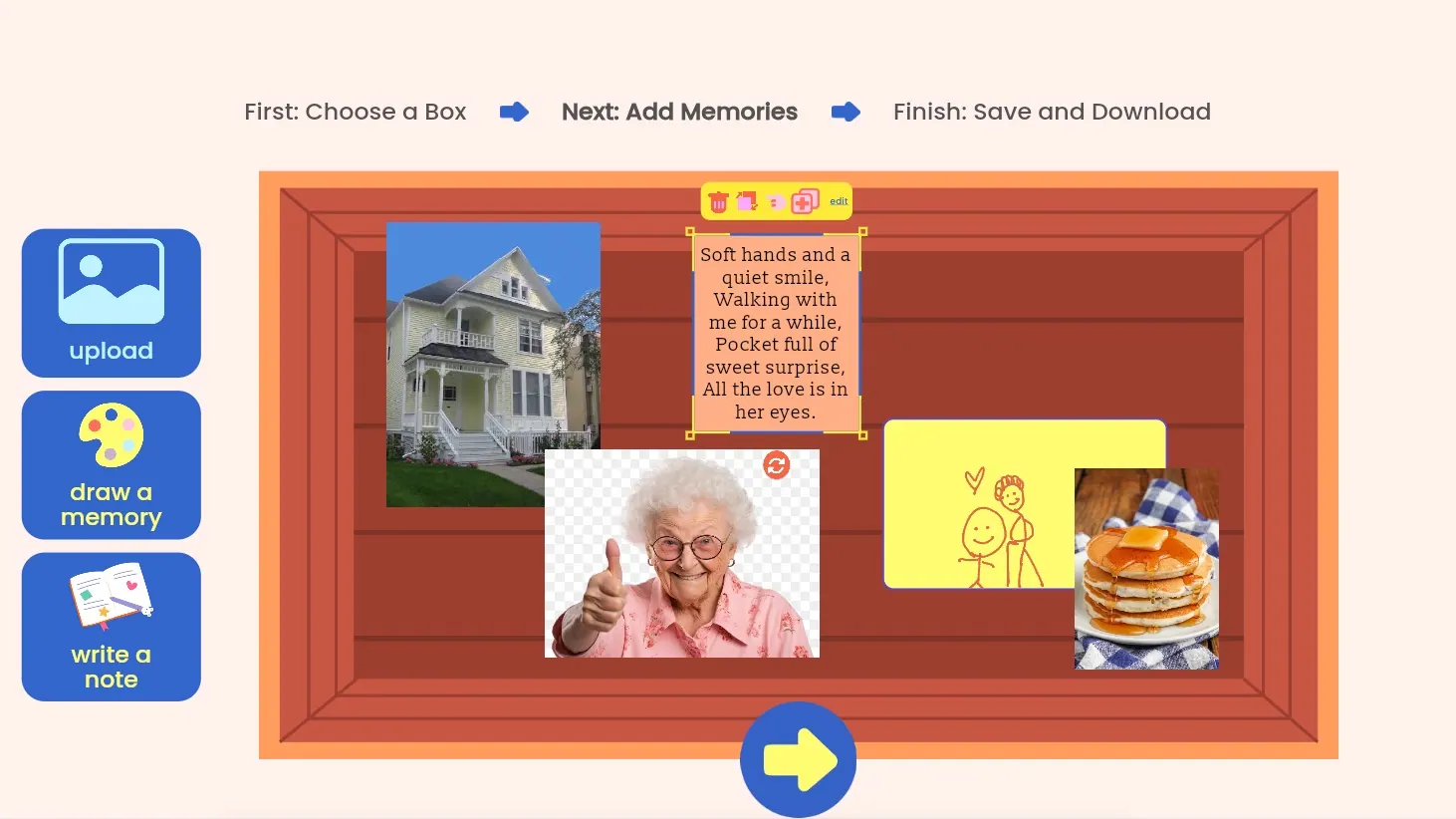
Some memories are worth holding onto. In Memory Box, kids and teens create virtual boxes filled with the moments, people, and places that matter to them, using photos, drawings, and notes. Each box can have its own theme, like "Favorite Summer Days" or "People Who Love Me," so special memories are always easy to find and revisit.
Step 1: Create a new memory box
Tap the + sign to start a new box.
Step 2: Make it your own
Choose a box style and a color, then give your box a name. Try naming it after a theme, a person, or a special time, like "Grandma's Kitchen" or "Best Moments This Year."
When you're ready, tap the next arrow. Your box is saved as soon as it has a name, so you can always come back to it.
Step 3: Add your memories
Now it's time to fill your box! There are three ways to add a memory:
- Add a photo: Upload an image from your device and add a caption about what it means to you.
- Draw it: Use markers, pencils, and colors to draw a memory, then add a caption.
- Write a note: Choose a font and write about a memory, a feeling, or something you never want to forget.
Step 4: Arrange your box
Move things around until your box feels just right. You can make items bigger or smaller, rotate them, or delete anything you don't want to keep. Everything you add saves automatically.
Step 5: Finish your box
When you're done adding memories, tap the forward arrow. From here you can:
- Download your memory box to keep or print.
- Go back to the main menu to create or open another box.
- Explore your box by tapping on any memory inside.
Step 6: Look through your memories
Tap any memory in your box to see it up close. Then scroll to flip through every memory in the box, one after another.
Step 7: Come back anytime
Your memory boxes stay saved and editable, so you can add new memories, update old ones, or start a brand-new box.
Tips for using Memory Box in session
- Let them lead. Ask, "What's a memory you'd want to keep forever?" and follow where your client goes.
- Explore the feelings. Memories can bring up joy, sadness, or both at once. Ask, "How does it feel to look at this one?"
- Use it for remembering someone. A box for a loved one, a pet, or a place they've moved away from can be a gentle way to honor what was lost.
- Build on strengths. A box of proud moments or kind words can be a powerful reminder on hard days.
- Revisit over time. Open the box in later sessions to add new memories and reflect on what's changed.