Home › Hopscotch Play Guide › Flashcards
Flashcards
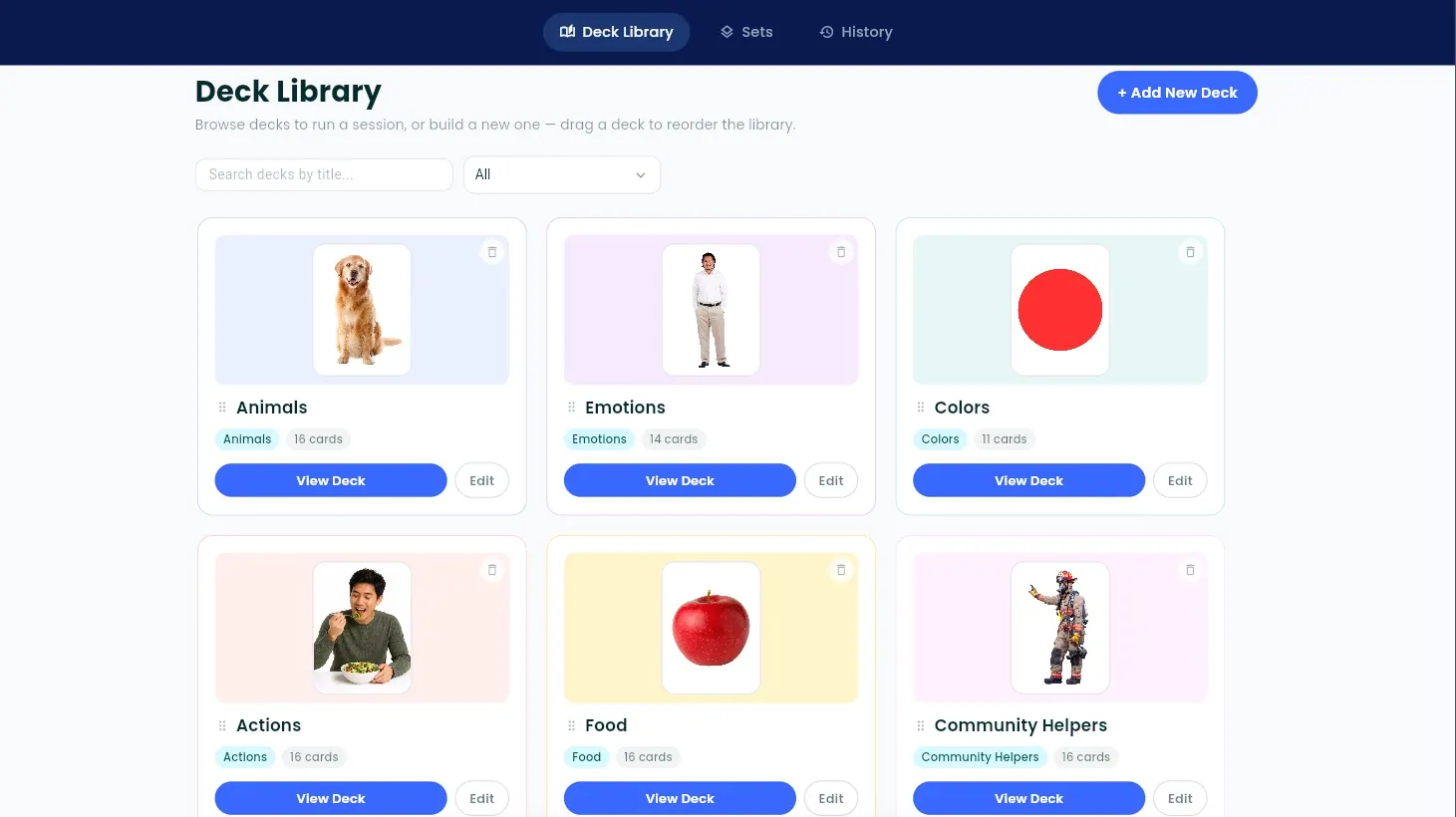
Flashcards is a session tool built for BCBAs and SLPs. Build decks of picture cards, put together sets for each client, and run focused drill sessions in four modes. Everything you need for flashcard work lives in one place, ready when your client is.
Step 1: Explore the starter library
Flashcards comes with a built-in library of ready-to-use decks. Browse them to see what's available before building your own. Many sessions can start right from the library.
Step 2: Create your own deck
Need something more specific? Create a new deck and add cards to it. Each card pairs a photo with a label, so you can build decks around your client's goals, interests, and everyday life.
Step 3: Build a set for your client
Sets let you pick the exact cards you want to target with a specific client. Choose cards from any of your decks to put together a set that matches where your client is right now.
Step 4: Choose a session mode
Start a session with a deck or set, then pick one of four modes:
- Review: Flip through the cards together to introduce or preview targets.
- Labeling (Expressive): Show a card and your client names what they see.
- Field (Receptive): Your client picks the named card from a field of choices.
- Sorting: Your client sorts cards into groups.
Step 5: Run the session
Work through the cards at your client's pace. Each mode keeps the focus on one card or one choice at a time, so it's easy to stay in the flow of teaching.
Step 6: Look back at past sessions
Flashcards keeps a history of your sessions, so you can see what you've worked on and plan what comes next.
Tips for using Flashcards in session
- Start with Review. Previewing cards before testing them builds familiarity and confidence.
- Pair Labeling and Field. Working on the same set expressively and receptively helps you see the full picture of what your client knows.
- Use real-life photos. Pictures of your client's own world, like their favorite snacks, toys, or places, can make targets more meaningful.
- Keep sets small. A focused set of targets makes progress easier to see.
- Know where your data lives. Decks, sets, and session history are saved in your browser on that device. Clearing your browser data will erase them, and they won't appear on other devices.